

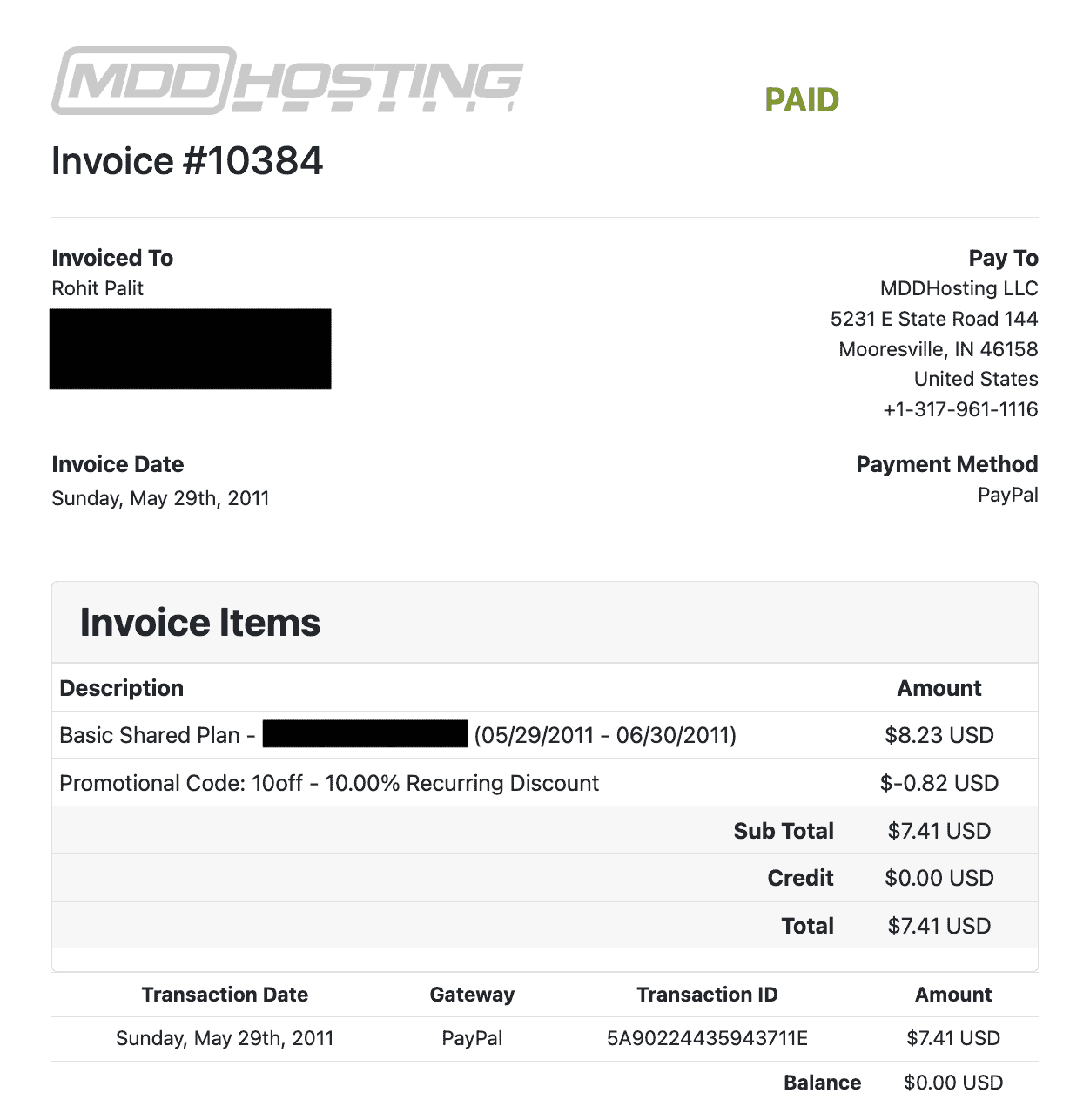
I started using MDDHosting in May, 2011. Here’s my first invoice:
Prior to discovering MDDHosting on the WebHostingTalk forum, I fell prey to the infamous “top 10 web hosts” affiliate sites and went for one bad host after another. First it was HostGator, then it was iPage. Before you blame my poor judgment, let me clarify that I didn’t even enter my teens back then.
Whatever I hosted back then were mainly passion projects that earned me the bare minimum to cover domain and server costs, thanks to good ol’ Google AdSense.
Over the years, I’ve hosted numerous (monetized) content sites on MDDHosting and have experienced their service at probably the lowest point of their existence during their prolonged downtime in 2018.
This review is based on my real experience hosting with them over the years, along with real benchmarks and performance data (took me 20+ hours). I tested both their entry-level ‘Turbo’ platform as well as the more expensive semi-dedicated tier ‘Plaid’ platform).
No time to go through this 5,000 words long review? Skip to the conclusion. (I still recommend that you at least skim through the sections that matter to you)
A short disclaimer for transparency’s sake
Please note: I was in no way compensated by MDDHosting for writing this review. I’ve just shared my own independent thoughts as a paying customer, along with hard, non-manipulated data (you won’t see MDD coming out on top every time).
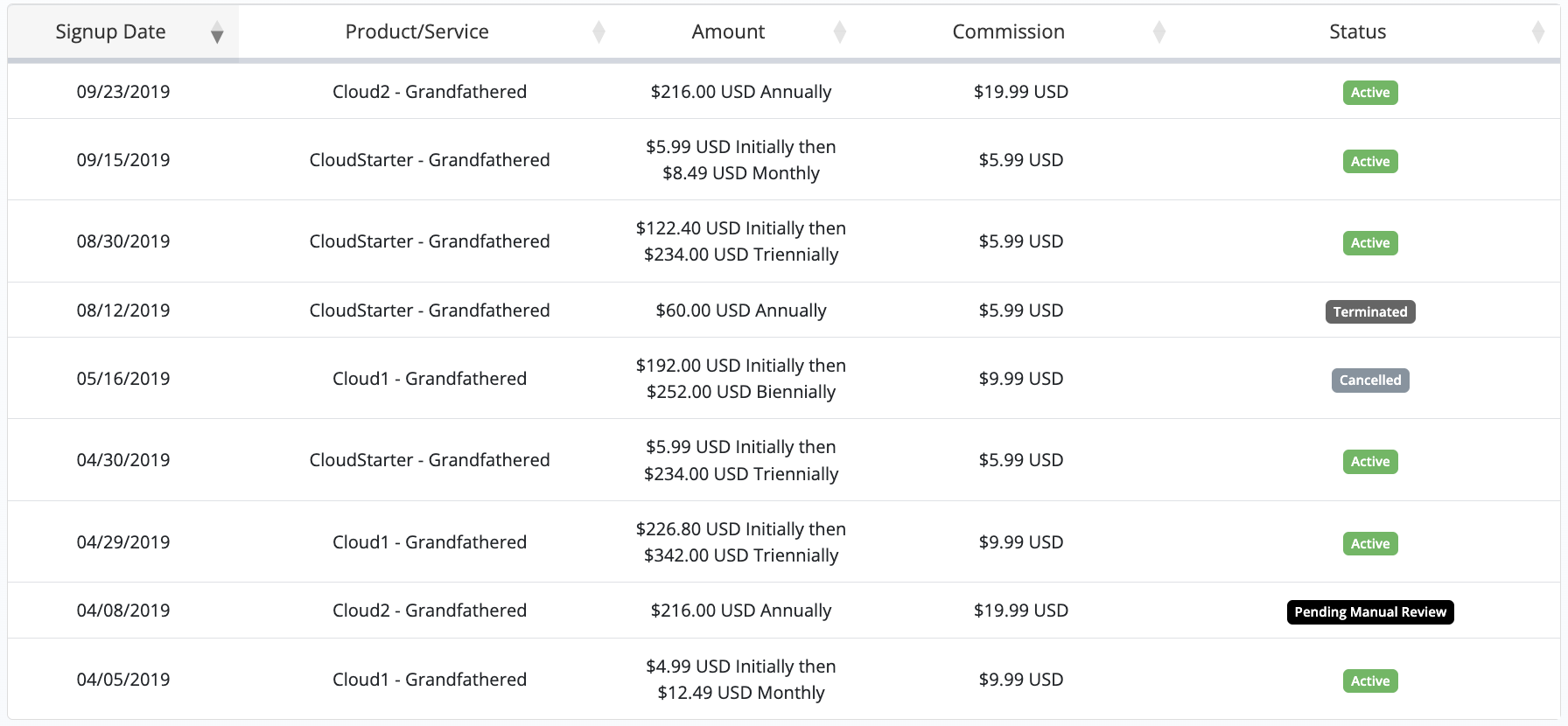
Unlike other web hosts who pay up to $300/sale for referring new customers, MDD has paid me mostly $5 to $10 per sale. Many people who signed up after reading my original review a decade ago, are still with MDD today. How do I know? Here’s a small glimpse from my affiliate dashboard:
1. Fastest useful technical support in existence
If there’s only one thing you should know about MDDHosting, it’s the quality of their support. It’s as good as it gets, really. And this is coming after using tens of other hosts over the years for different projects, across the price spectrum.
Mike (the owner) has been heading the company since 2007, and to this date he is actively involved in answering technical support tickets, although now they’ve got a much larger technical support team than before, who are just as efficient.
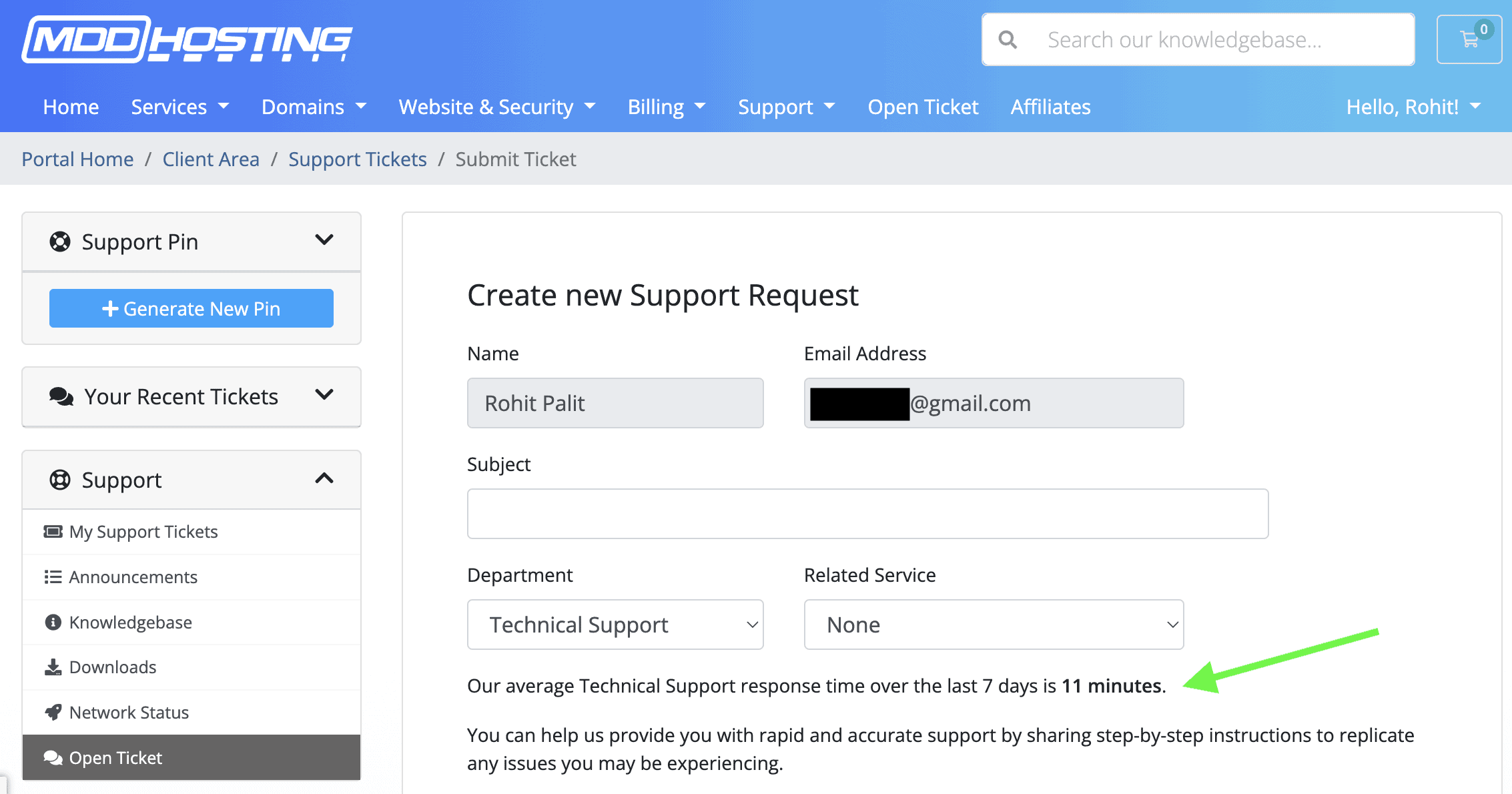
MDD is one of the few hosts who publicly display real-time ‘average response times over last 7 days’:
Bear in mind that the first response is never something useless like “please wait while we’re looking into the issue”. You always get an actually useful first reply.
I’ve experienced a lot of other hosts who respond fast, but you need to wait hours to get the resolution. I’ve also experienced hosts who offer great, high-performing servers but take hours to get to even critical issues. This has never been the case with MDD.
They’re one of the few shared hosting providers in this price point to routinely go beyond the scope of their standard hosting-related support and offer script-specific support (such as WordPress specific advice/optimization/general help).
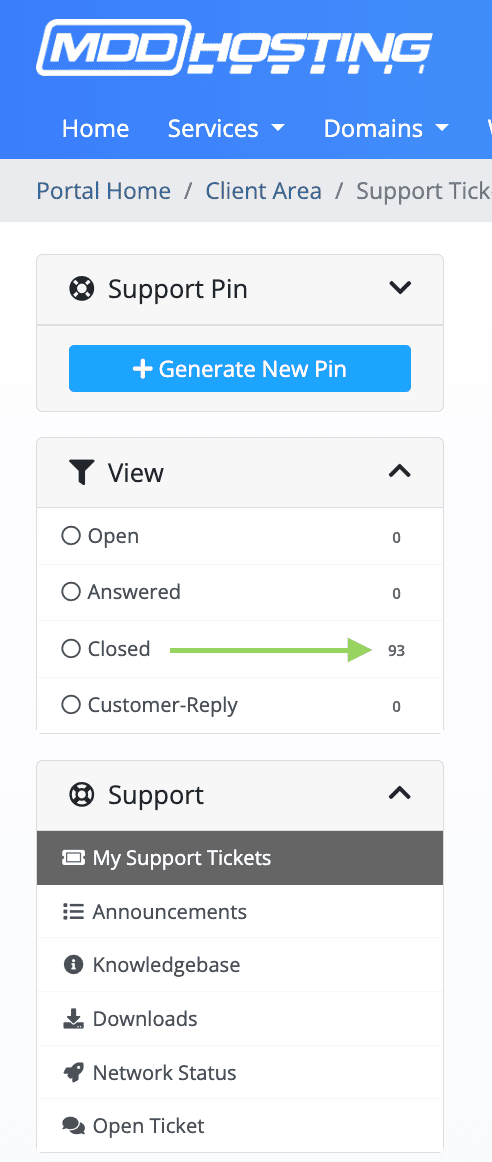
Over the years, I’ve created 100+ support tickets with them, with the majority answered within minutes (even past midnight their time, owing to a near 12-hr gap in our time zones).
You’re seeing the number as ’93’ because their current system is not displaying the pre-2013 support tickets.
I went through 12-13 year old support tickets for this review. I saw how I bugged them a lot for the most trivial issues and things that were truly beyond their scope of fixing. Just a few examples:
- .htaccess redirect help (implementing custom redirect rules)
- WordPress critical errors as a result of me fiddling with newer PHP versions
- Preventing WordPress brute-force attacks and thereby preventing account resources from hitting limits.
- Email deliverability issues (help with setting up of proper SPF & DKIM records)
- HTTP/HTTPS mixed content issues and redirect loops.
- 403 errors after site migrations done by myself.
- Cron job related help (disabling WP-cron and enabling cron jobs within cPanel).
- Asking them for specific hosting advice for sites that grew in traffic beyond my expectations.
- Malware detection and cleanup related help on multiple occasions towards the beginning.

One noteworthy point. In my experience most of their support people (including the owner) are usually very blunt and concise in their replies. They also don’t refrain from sharing technical details (expecting you to understand most of it).
Sometimes this may look like they’re barely explaining the cause and asking you to handle the issue yourself. However, if you state clearly that you don’t understand what’s going on and need further assistance, they usually don’t refuse to help.
In the initial years, this had caused some miscommunication between us, but upon introspection (and based on my current level of understanding) it was mostly me being a bit unreasonable with many such support tickets.
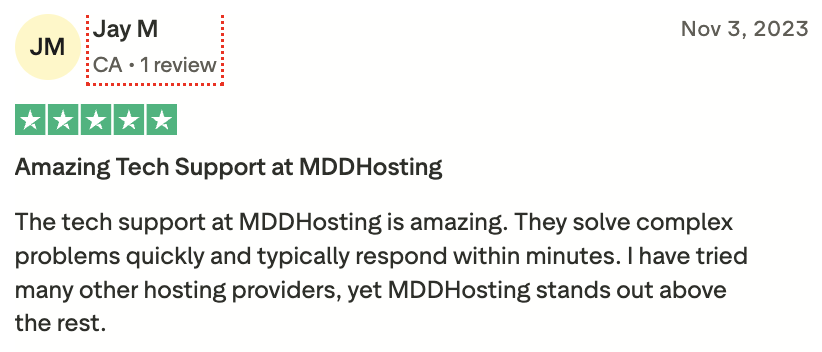
My sentiment about MDD’s support quality is shared by many other users on their TrustPilot page. Here are 8 such reviews all praising their support (click on the images to zoom-in):
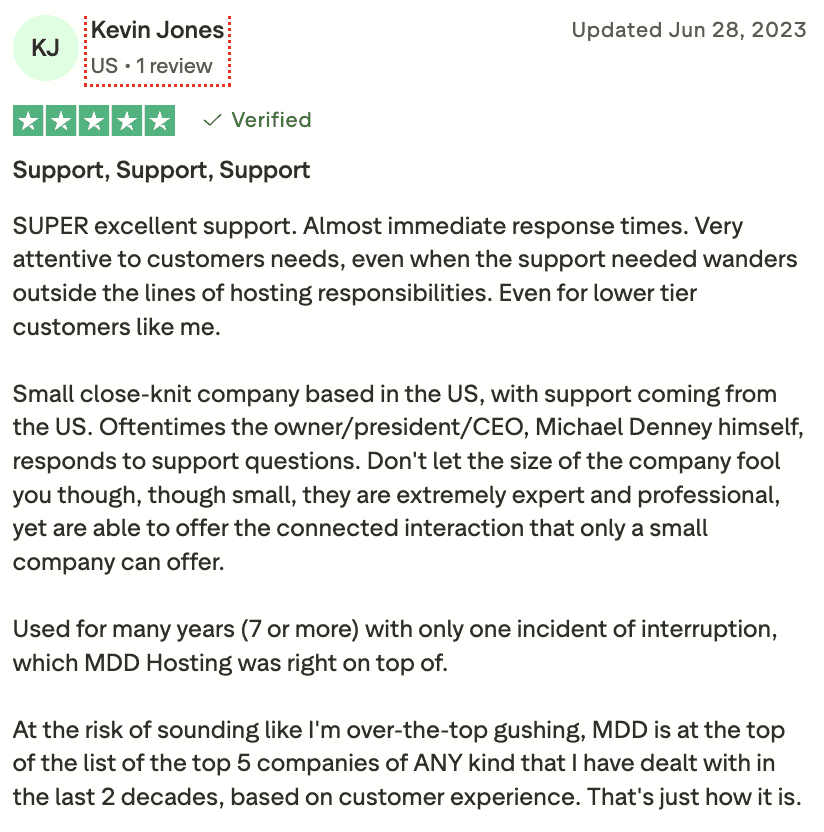
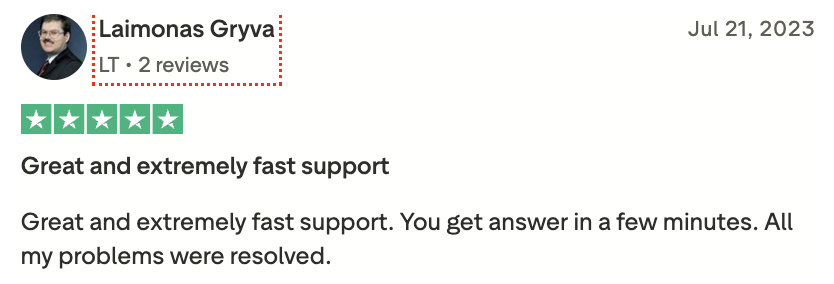
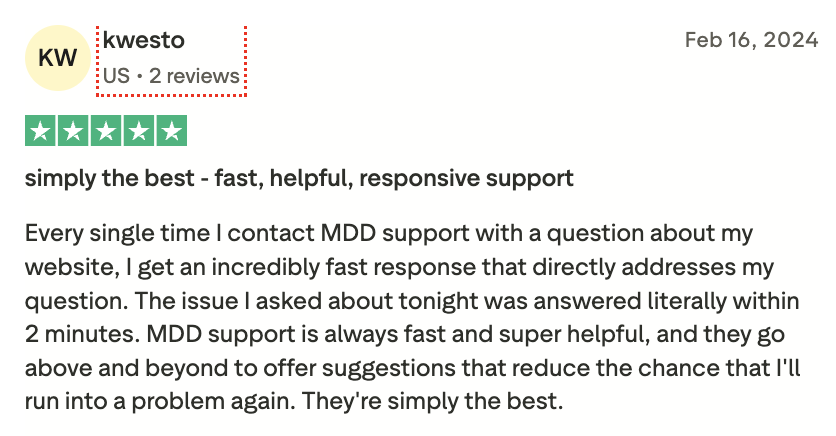
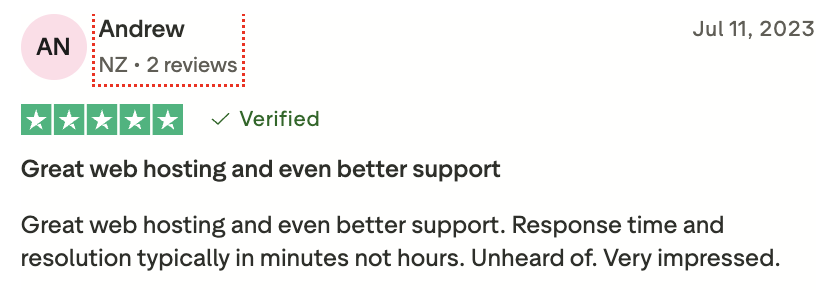
Their Google reviews tell a similar story:
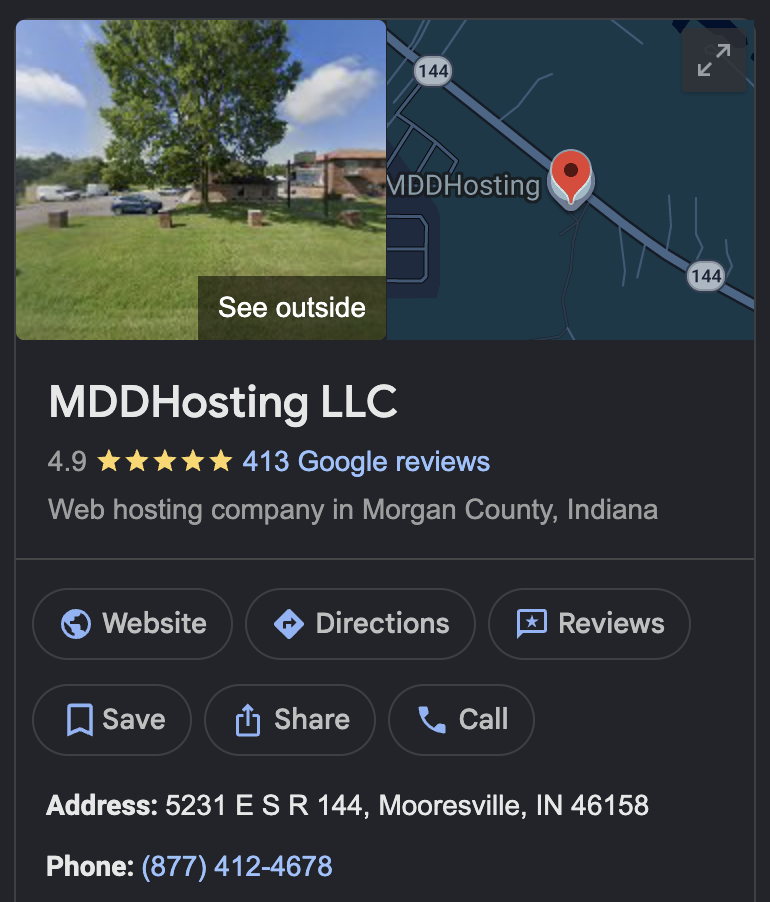
These sorts of sentiments can’t be manufactured, for sure.
2. Privately owned since 2007 (zero external debt)
If you check the about page on their website or the history of the company, you’ll see a level of transparency that’s unparalleled in the hosting world.
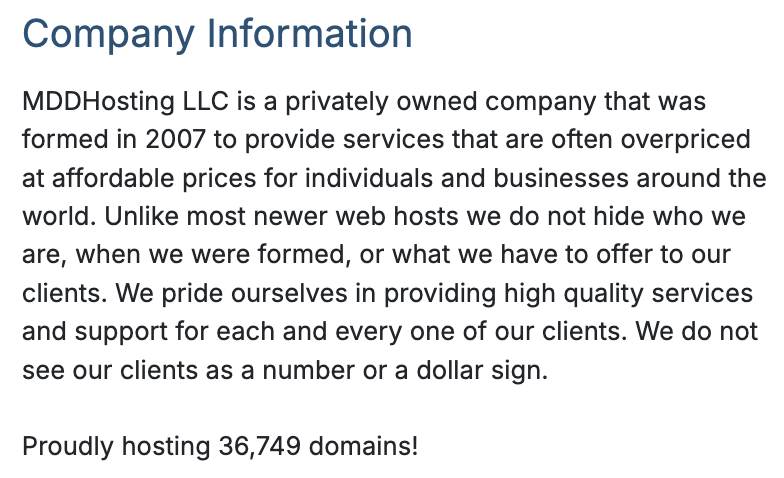
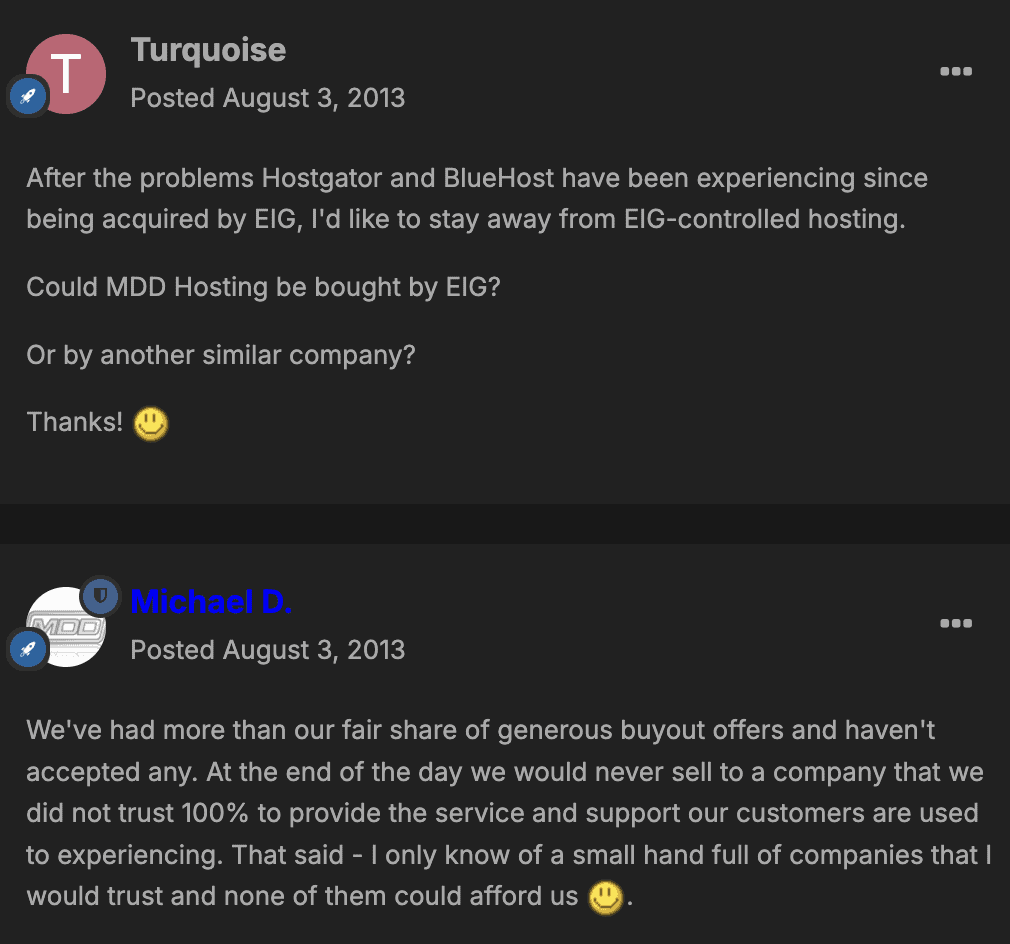
The owner, Michael Denney, has repeatedly said that they have no plans to ever sell off to private equity firms like Newfold Digital (formerly EIG) and the likes (who have zero concern about customer experience).
I’ve taken this exchange directly from their forum:
When you host with a relatively smaller, privately owned company where the owner himself is still actively involved in day to day operations, you get a level of personalized support that the bigger guys simply can’t offer.
There has been plenty of takeovers by private-equity in the hosting space and the outcome has almost always been negative for the end users. A few names off the top of my head:
- StableHost (Miss Group)
- A2 Hosting (World Host Group)
- FastComet (World Host Group)
- A Small Orange (EIG, then probably sold off)
You can check out old WHT threads like this to know what Mike thinks about the whole private equity acquisitions in the hosting space. What he said specifically about EIG-owned (now Newfold Digital) hosts is applicable to other similar private-equity backed hosts as well:
The vast majority of people really have no idea there is better out there and think that what they are getting is just what it is. Those that do leave due to issues often end up at another EIG provider and come to the conclusion that what EIG providers offer is what you can expect from hosting providers. – Michael Denney, MDDHosting
3. Limited datacenter choice
MDDHosting offers hosting in just one location – Denver, CO (US).
This outright makes it unsuitable if your sites primarily target a different country of visitors.
My guess would be that they prefer to own their own hardware, instead of renting servers across different datacenters in different continents like most other shared hosts do. They currently do co-location (utilizing their self-owned servers) in the Handy Networks datacenter in Denver.
Based on my limited research, Handy Networks appears to be a decent datacenter with adequate safety and a good deal of redundancy both in terms of power and networking. Over all these years, I don’t remember any downtime or any other mishaps owing to the datacenter itself.
4. High-performance tech stack with somewhat older processors
Their shared hosting specs look impressive on paper, and they translate to fast enough real-world performance (demonstrated in later sections). In short you’re getting the full package:
- LiteSpeed Enterprise web server with LiteSpeed Cache support (server-level caching)
- MariaDB (faster than MySQL)
- StorPool powered distributed storage (as opposed to single drives) – NVMe SSD for the ‘Plaid’ platform, and regular SSD for the ‘Turbo’ platform
- Object caching support (Memcached and Redis), needs to be enabled via cPanel
In my other reviews, I’ve written extensively about LiteSpeed being far superior than regular Apache and even nginx. You can browse these benchmarks yourself to get an idea. These are broadly the most relevant test results for most people:
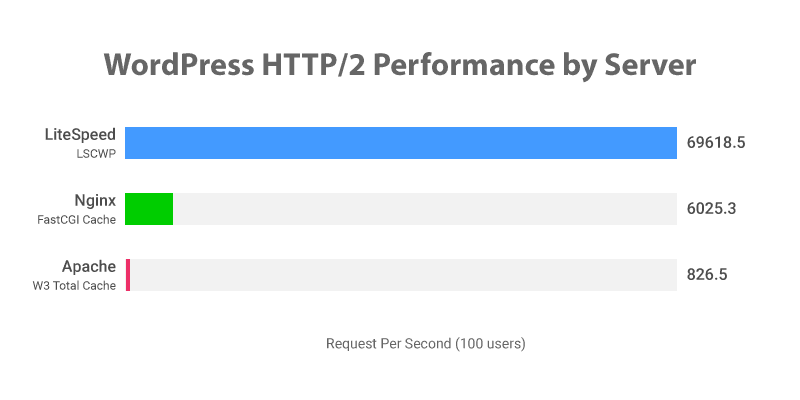
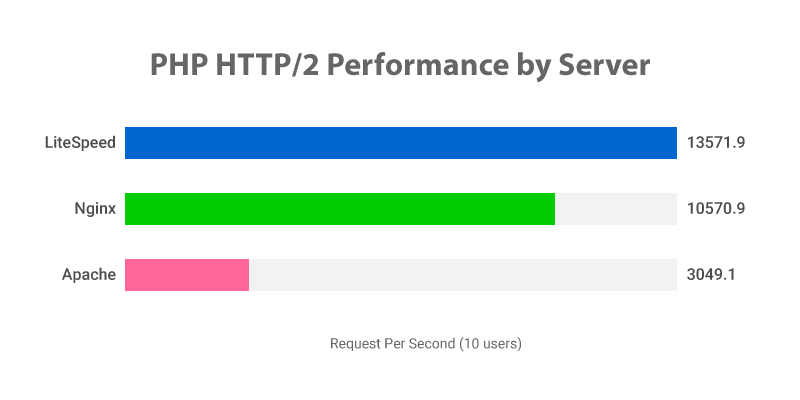
I think the majority of shared hosts still don’t use LiteSpeed because it costs money (license fee). There’s a free version too (OpenLiteSpeed) but most features of the LiteSpeed Cache plugin don’t work without a commercial license.
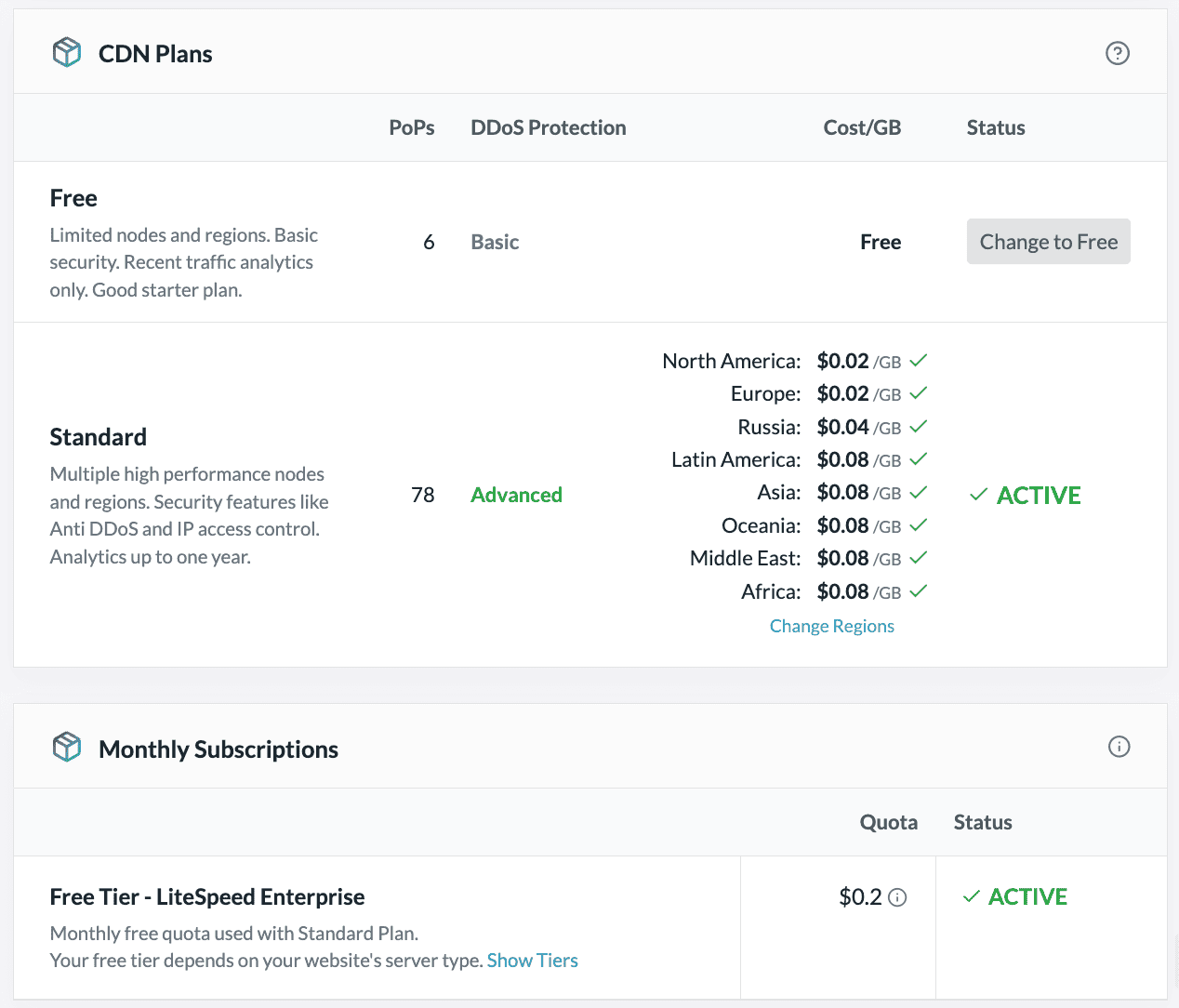
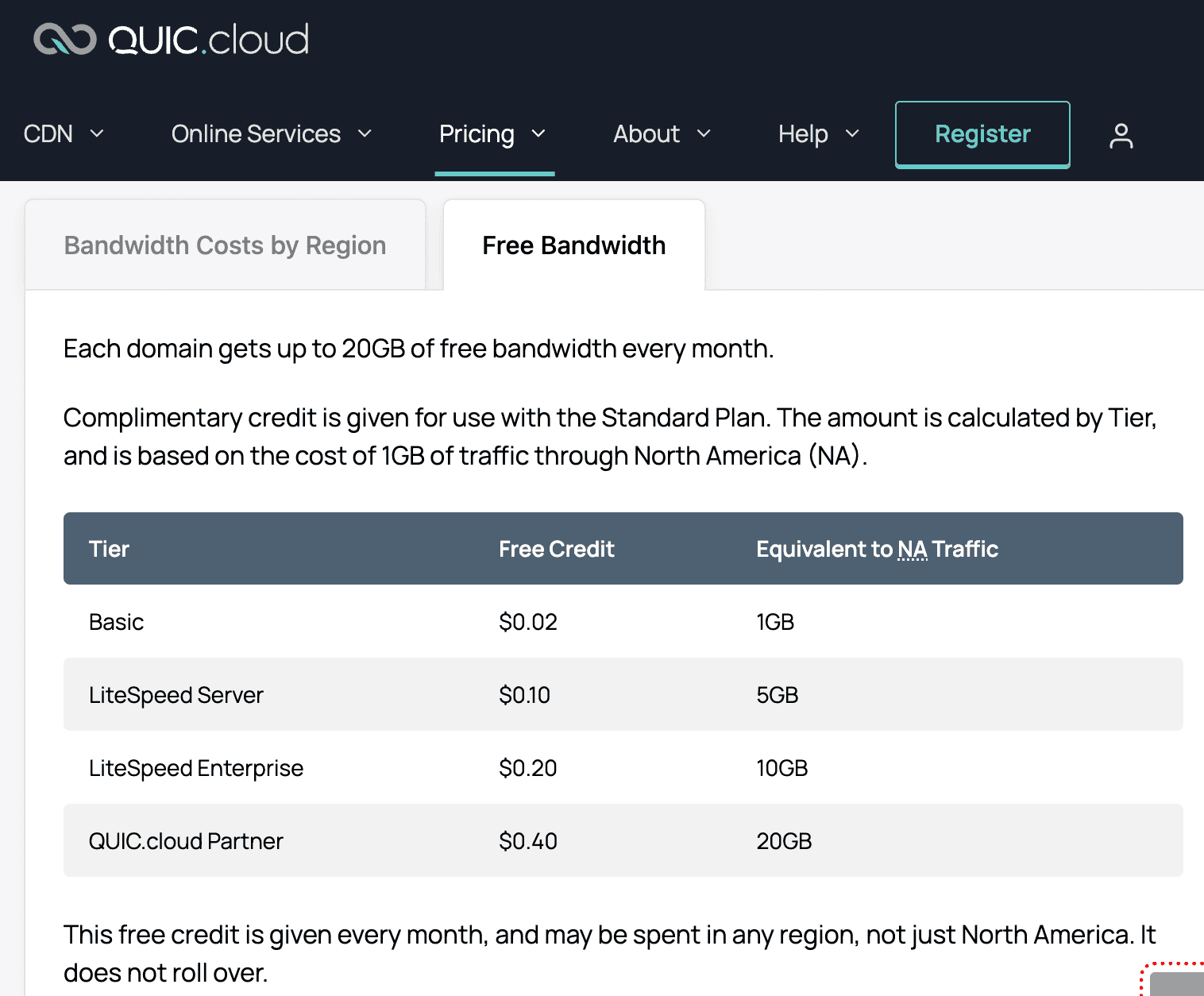
MDDHosting uses LiteSpeed Enterprise for all their shared servers. This also means you get some free monthly bandwidth (roughly 10GB) if you use LiteSpeed’s own QUIC.cloud CDN (see below). If you exhaust that limit, you have the option to switch to QUIC.cloud’s free tier (has only 6 global PoPs instead of 78 for the paid plan).
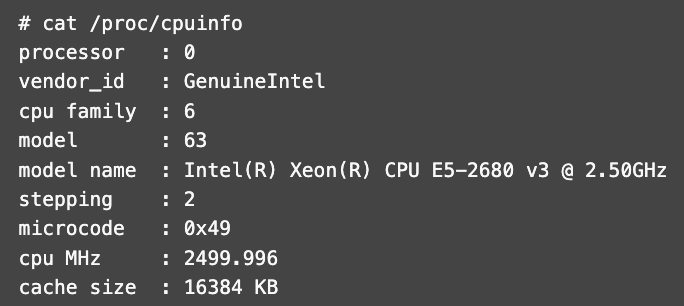
With MDD’s ‘Turbo’ plan (cheapest offering), you’re only getting older Intel Xeon processors, specifically the E5-2680 v3. Here’s proof (obtained by me from their support):
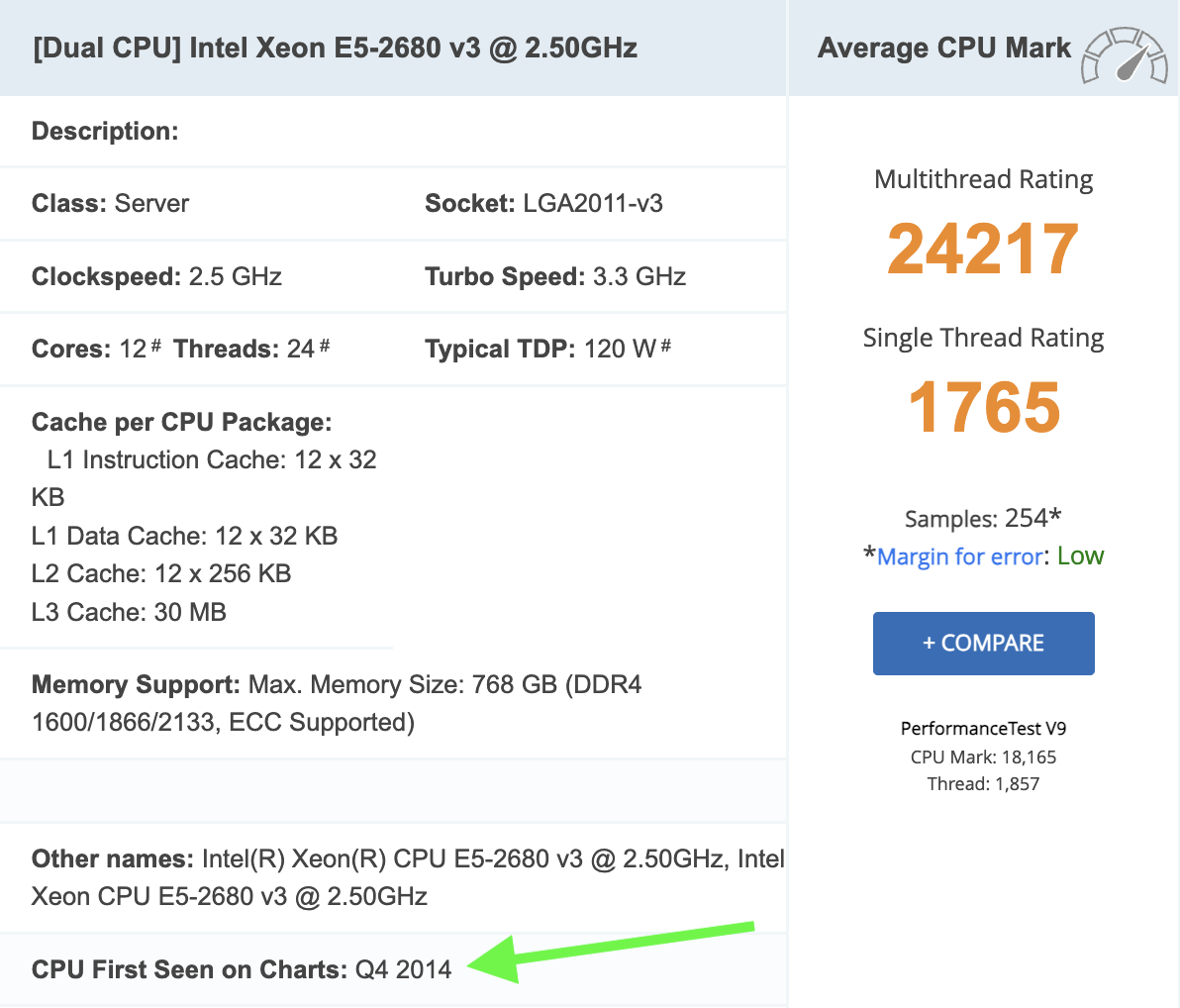
This processor was released all the way back in 2014 and has a single-thread rating of only 1796.
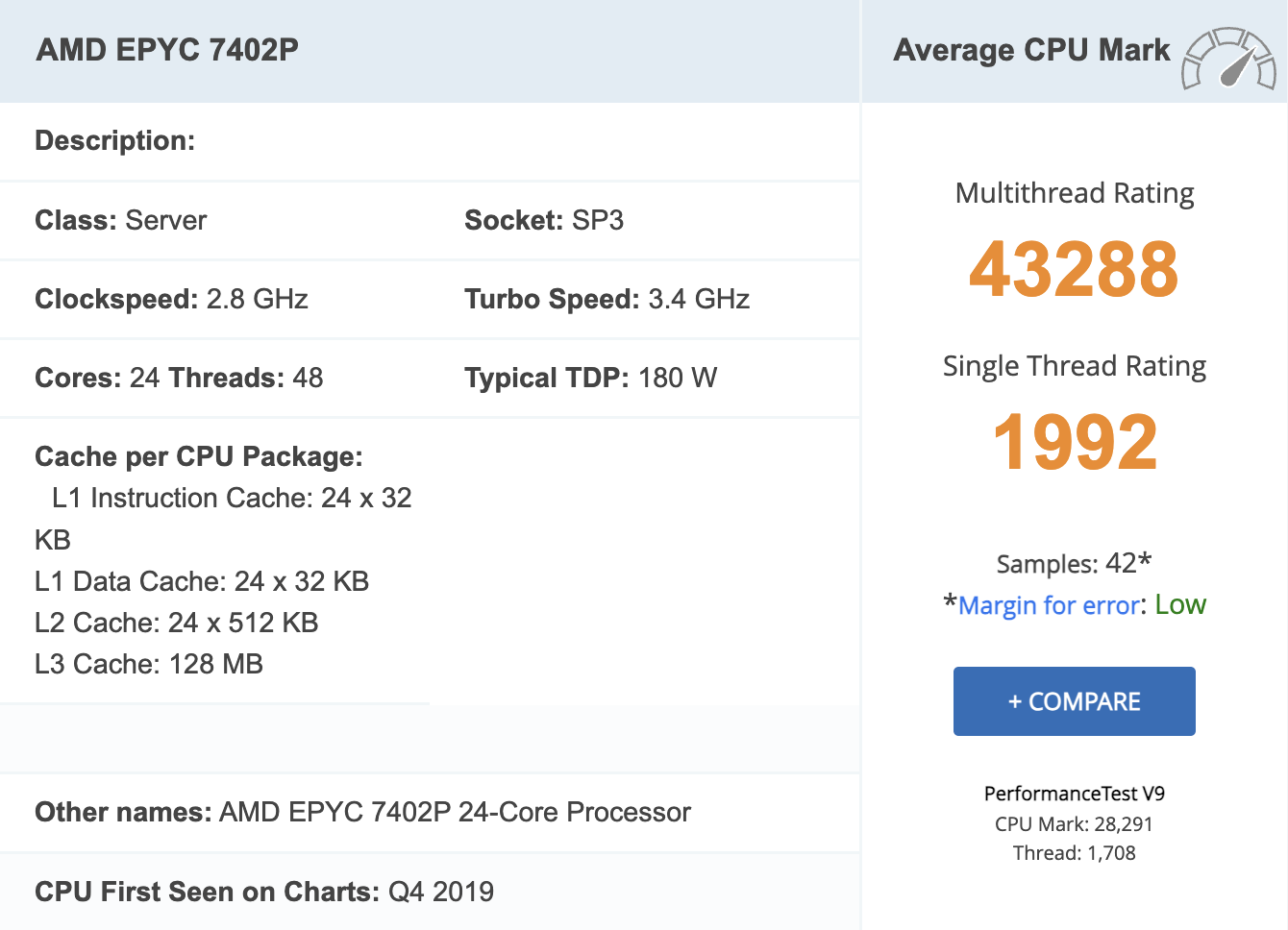
Plaid and Plaid+ servers are powered by somewhat faster AMD EPYC processors, but they’re also the older generation 7402P CPUs (released in late-2019). These aren’t the fastest options around, boasting a single-thread rating of just 1992 on PassMark.
In comparison, you get much faster AMD Ryzen 9950X (4729 single-thread rating) powered plans for comparable / cheaper prices with providers like ExonHost (my review) and MechanicWeb.
For mostly static WordPress sites that rely a great deal on caching, CPU won’t be a factor behind real-world page load times. It’s going to matter for WordPress backend (wp-admin) performance and also for highly dynamic sites like e-commerce sites & forums.
I have to admit that comparing their enterprise-grade EPYC 7402s (Zen 2 architecture) with the latest-generation consumer-grade Ryzen 9950X (Zen 5 architecture) might not be entirely fair, since there are hardly a few shared hosting providers who utilize the latter.
Many “semi-dedicated” hosting providers (shared hosting with higher resource limits and fewer accounts per server) utilize newer gen. EPYC processors that still don’t come anywhere close to matching the 9950X’s raw single-thread performance. Examples:
- HostArmada uses AMD EPYC 7713 (single-thread rating: 2647; Zen 3 architecture)
- ChemiCloud uses AMD EPYC 9354 (single-thread rating: 2766; Zen 4 architecture)
It’s also worth noting that they don’t have any arbitrary limits on things like CPU usage. If you browse the ToS of most other hosts, you can usually find such limits on many of them. For example, MechanicWeb’s ToS page states: “You may not use 60% or more system resources for longer than 60 seconds.”
I did contact MDDHosting regarding such limits, and Tim M. from their support team responded:
“We don’t have a hard set limit – as it was impossible for clients to know where they stood. We just don’t allow them to use it continuously 24/7 and if it’s an issue we reach out and work with them. The only time we would take corrective action is if their usage is causing issues for other users and that’s extremely rare.”
5. Server performance benchmarks
First, let’s do PHP Vitals, which primarily measures PHP processing performance of the server and displays an overall grade like A+, A, B+, B and so on. WordPress is mostly PHP.
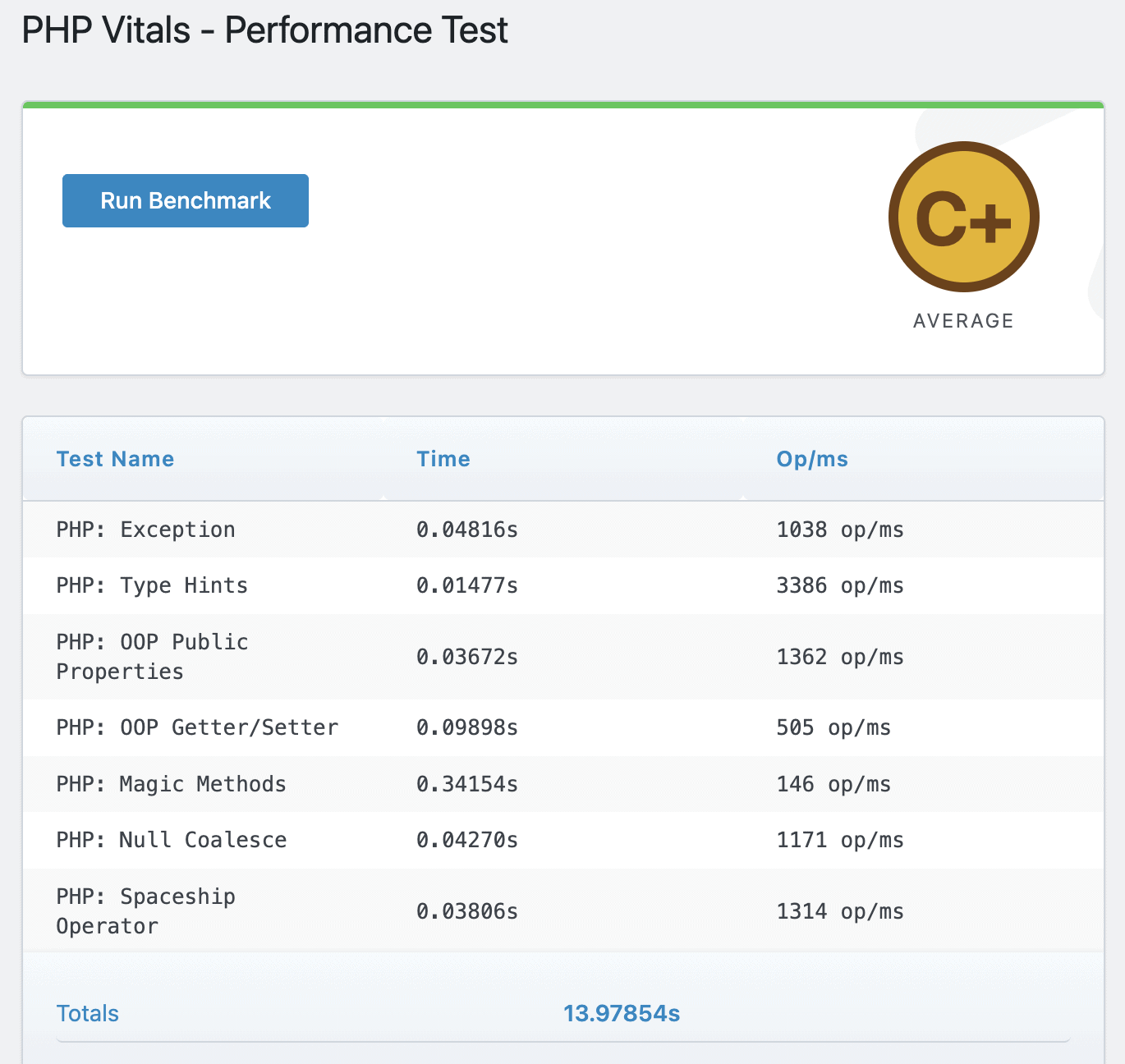
C+ is not particularly impressive, considering this is the faster of their two platforms (Plaid).
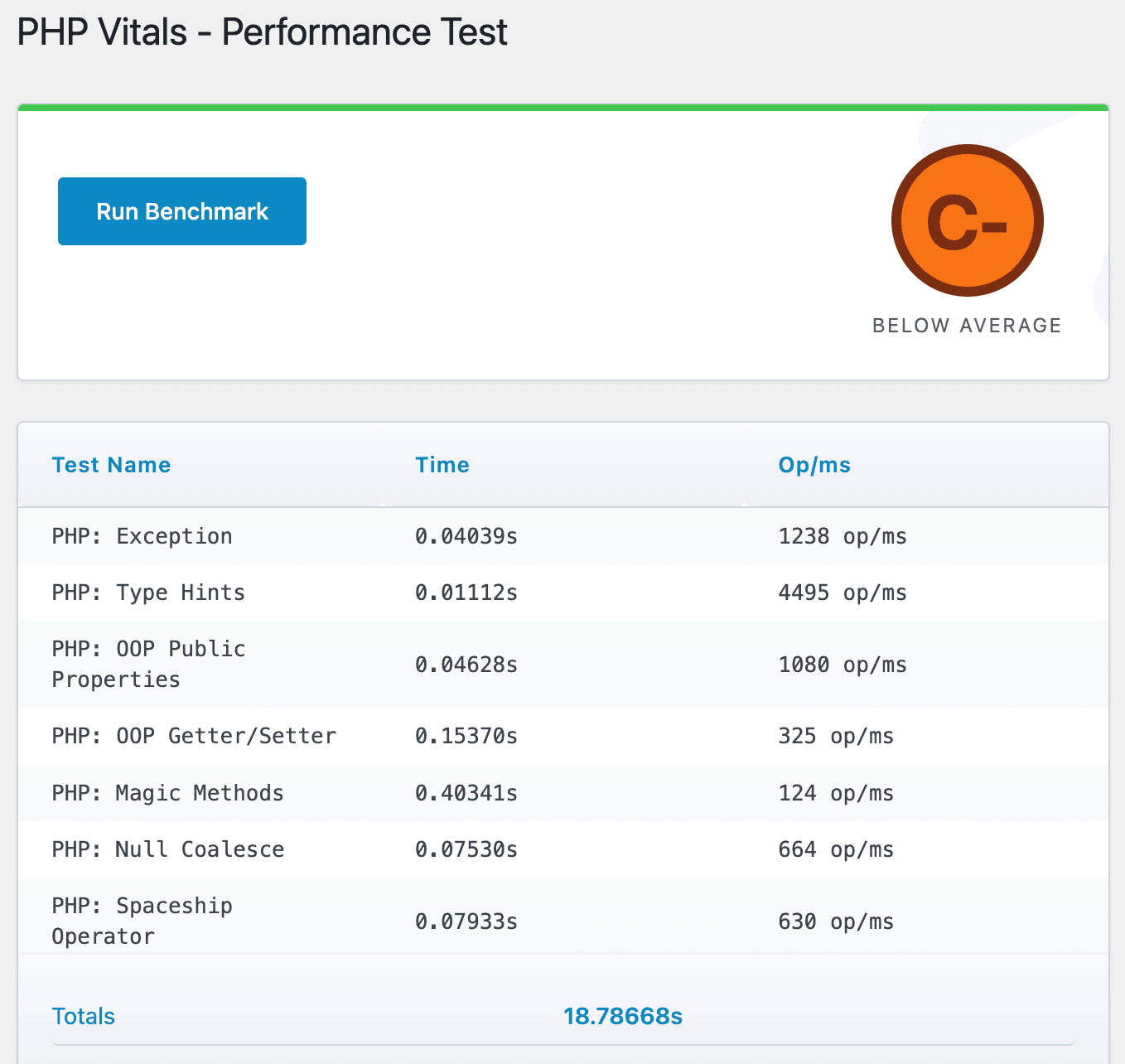
Again, C- isn’t at all impressive for the ‘Turbo’ plan, but given how old the underlying Xeon E5-2680 v3 is, I’m less surprised here.
To put things in perspective, ExonHost’s Turbo Plus plan (cheapest of their semi-dedicated tier hosting) which costs $19.95/mo returns grade A+ in the same test (as good as it gets). It utilizes the cutting-edge AMD Ryzen 9950X processor.
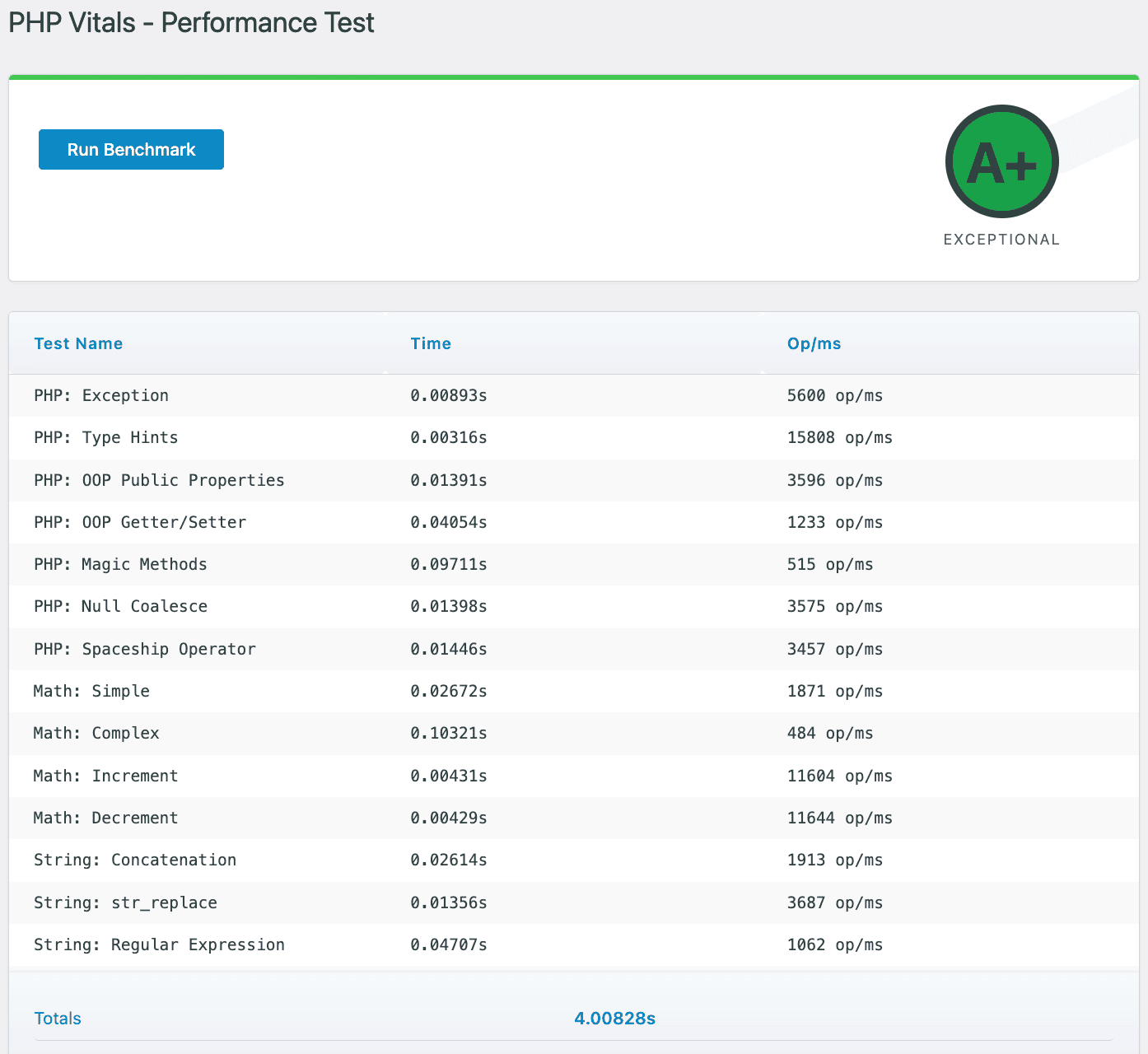
As you can see, ExonHost’s ‘Turbo Plus’ completed the tests in just 4 seconds, 1/3rd of what ‘Plaid’ took.
All 3 tests used PHP 8.3, with identical extensions and object caching enabled (Redis). All 3 servers utilize LiteSpeed enterprise, a php max_memory limit of 512MB and an overall cPanel account-level limit of 4 CPU cores and 4GB of RAM (half, i.e. 2 & 2 for the Turbo plan).
Once again, I pitted MDD’s Plaid against Exon’s Turbo Plus, this time using the WordPress Hosting Benchmark plugin by Anton Aleksandrov.
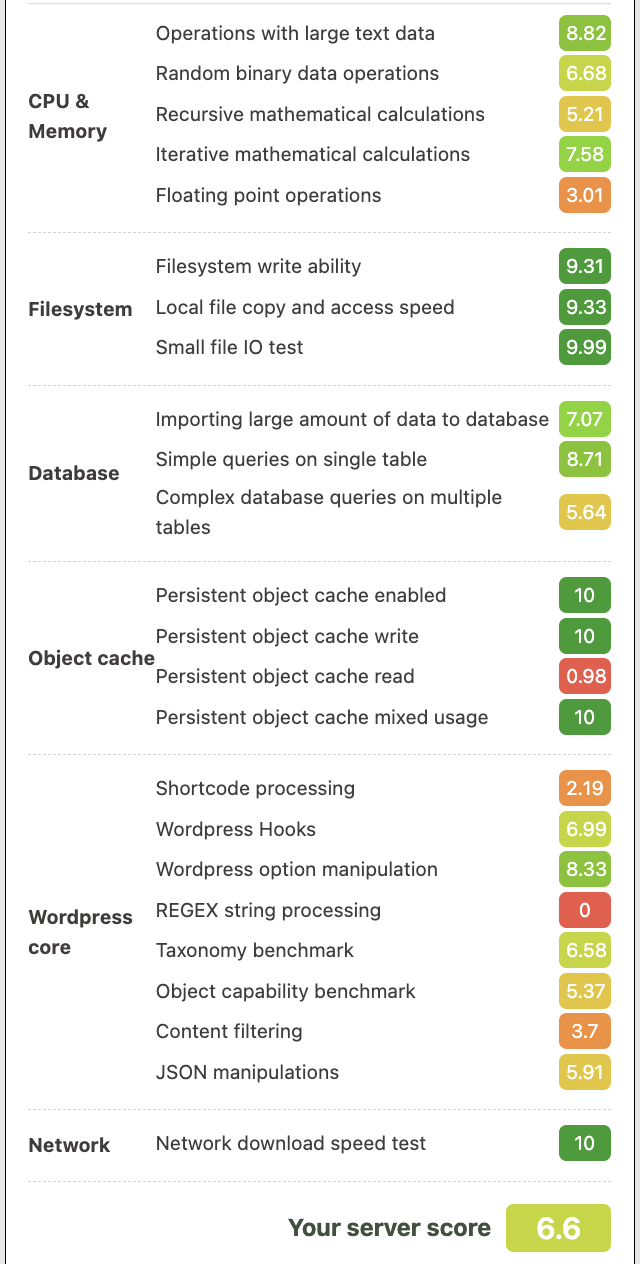
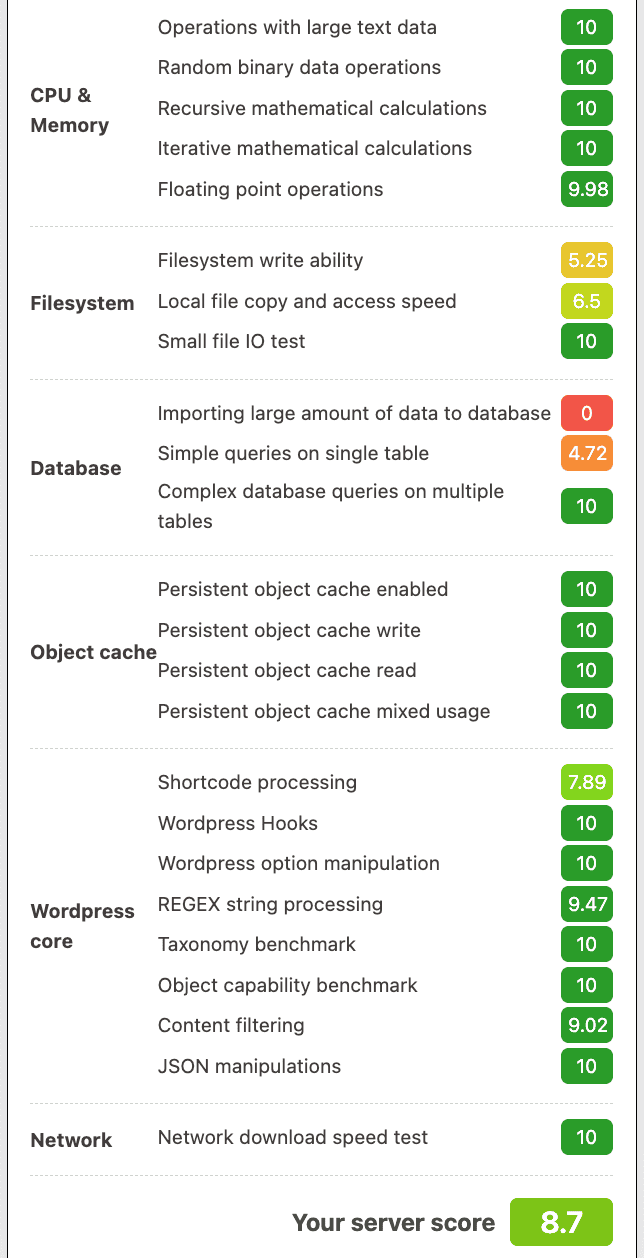
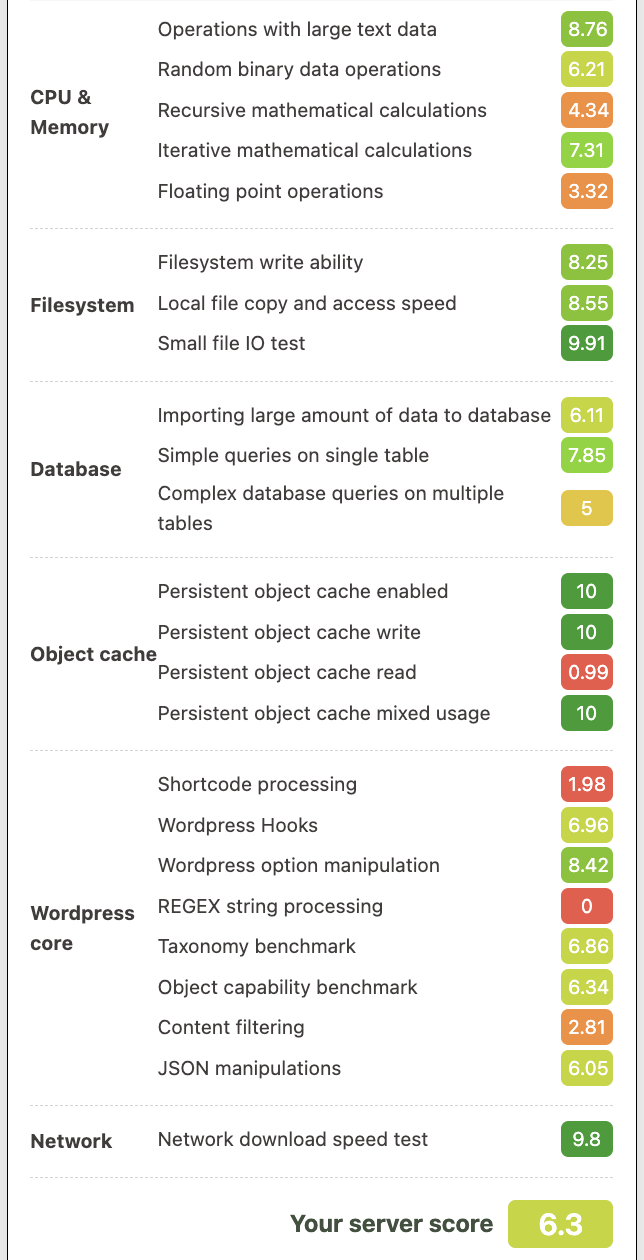
Note: the ‘0’ scores in ‘REGEX string processing’ and ‘importing large amounts of data to database’ are likely a result of limits that were put in place to prevent abuse, I wouldn’t take it seriously.
Yet again, MDD lagged behind ExonHost in terms of raw processing power, but the MDD server (especially ‘Plaid’) was significantly better in the filesystem test (measuring data transfer, read/write etc. metrics).
Since ExonHost uses NVMe SSDs (that too, the PCIe 5.0 kind), this significant difference has to be a result of StorPool (distributed storage), which MDD heavily highlights.
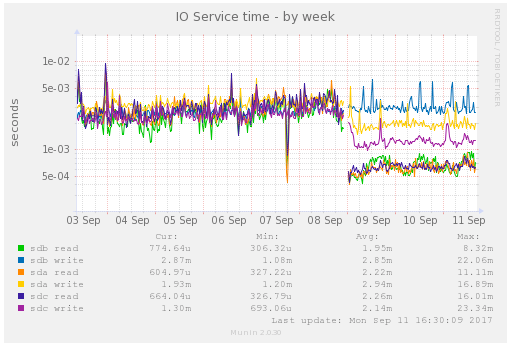
It basically stores, reads and writes from multiple SSDs simultaneously to offer data redundancy (near zero chance of data corruption or downtime due to a single drive failure) and significantly higher data access/transfer speeds.
If I dive deep into the technicalities it’ll make this review super long, hence here’s the summary from Gemini (better at summarizing this than me):
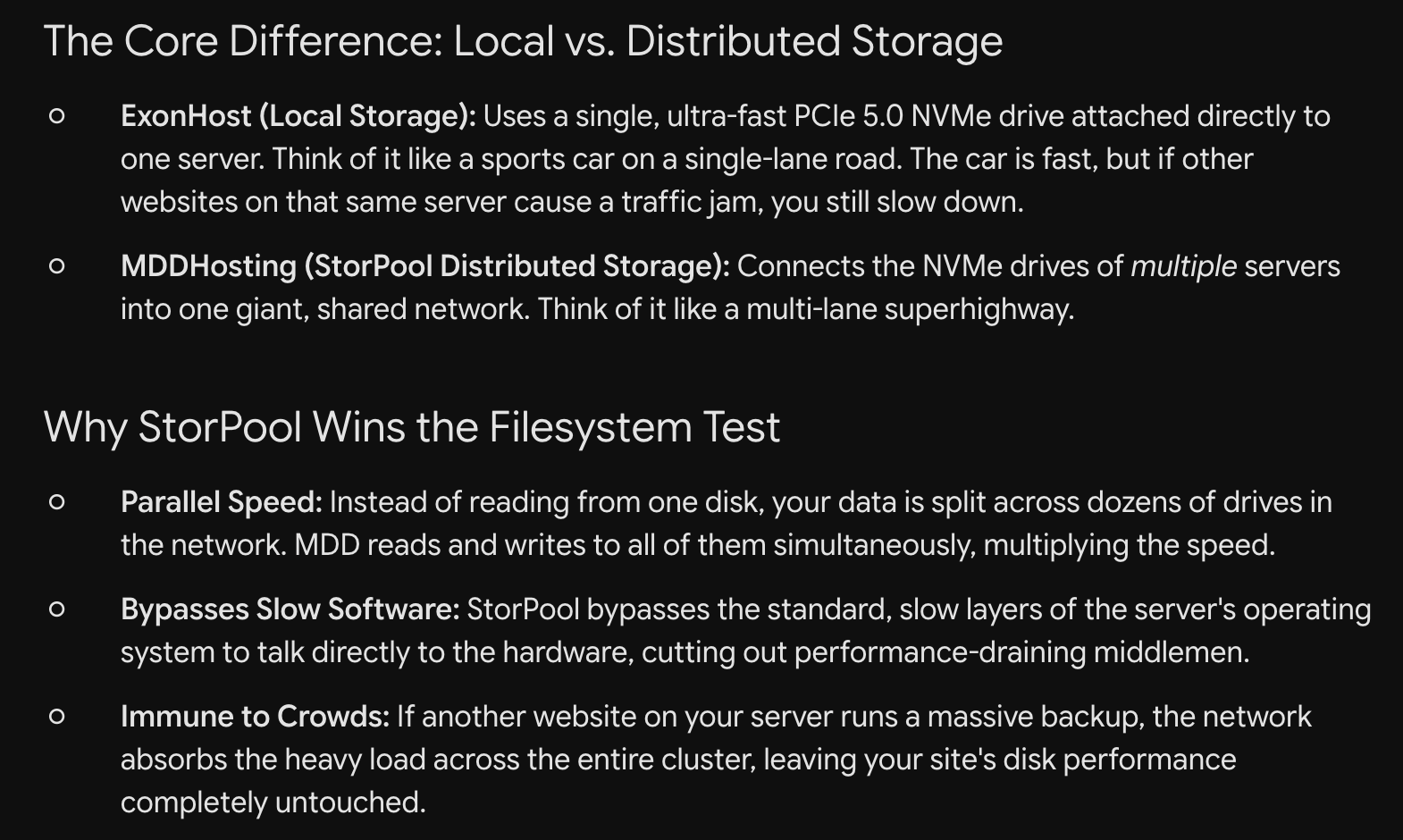
Coming to the other areas such as CPU, memory and WordPress core operations: the raw processing power advantage enjoyed by ExonHost translates to 9s and 10s for almost every operation.
This difference isn’t as noticeable in the real world when browsing through various pages inside WP-admin. The difference in raw computing power should matter also for the front-end performance of highly dynamic sites such as WooCommerce and large forums.
I also uploaded the WP Benchmark screenshots (Plaid vs Turbo Plus) to ChatGPT and asked which of these two servers it’d prefer for most sites, this was the gist of the response. Hint: host A = MDD, host B = Exon.
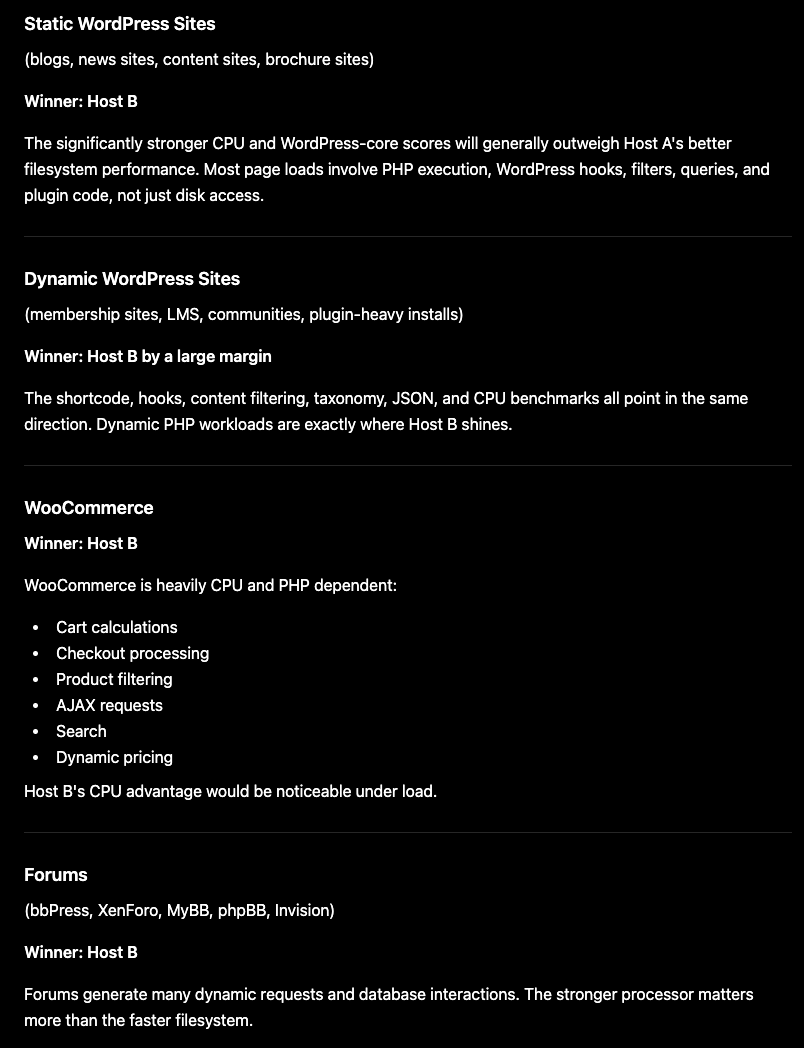
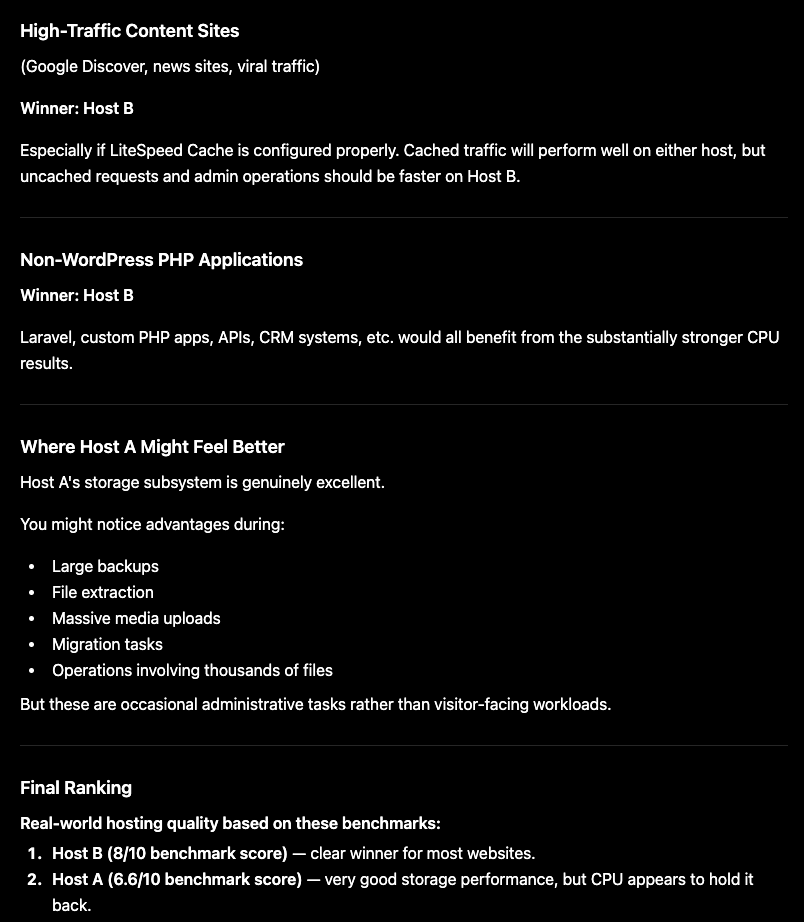
Do note that despite these significant technical differences, for most well-cached sites (I’d assume you’d be using LiteSpeed cache for WordPress) the end user is unlikely to notice much difference in loading times.
Website optimization, the actual distance between the server and the visitor, whether you’re using a CDN for dynamic content as well (such as via the App for Cloudflare plugin which I highlighted here) are all factors that would matter much more.
6. Real-world performance (loading time) testing
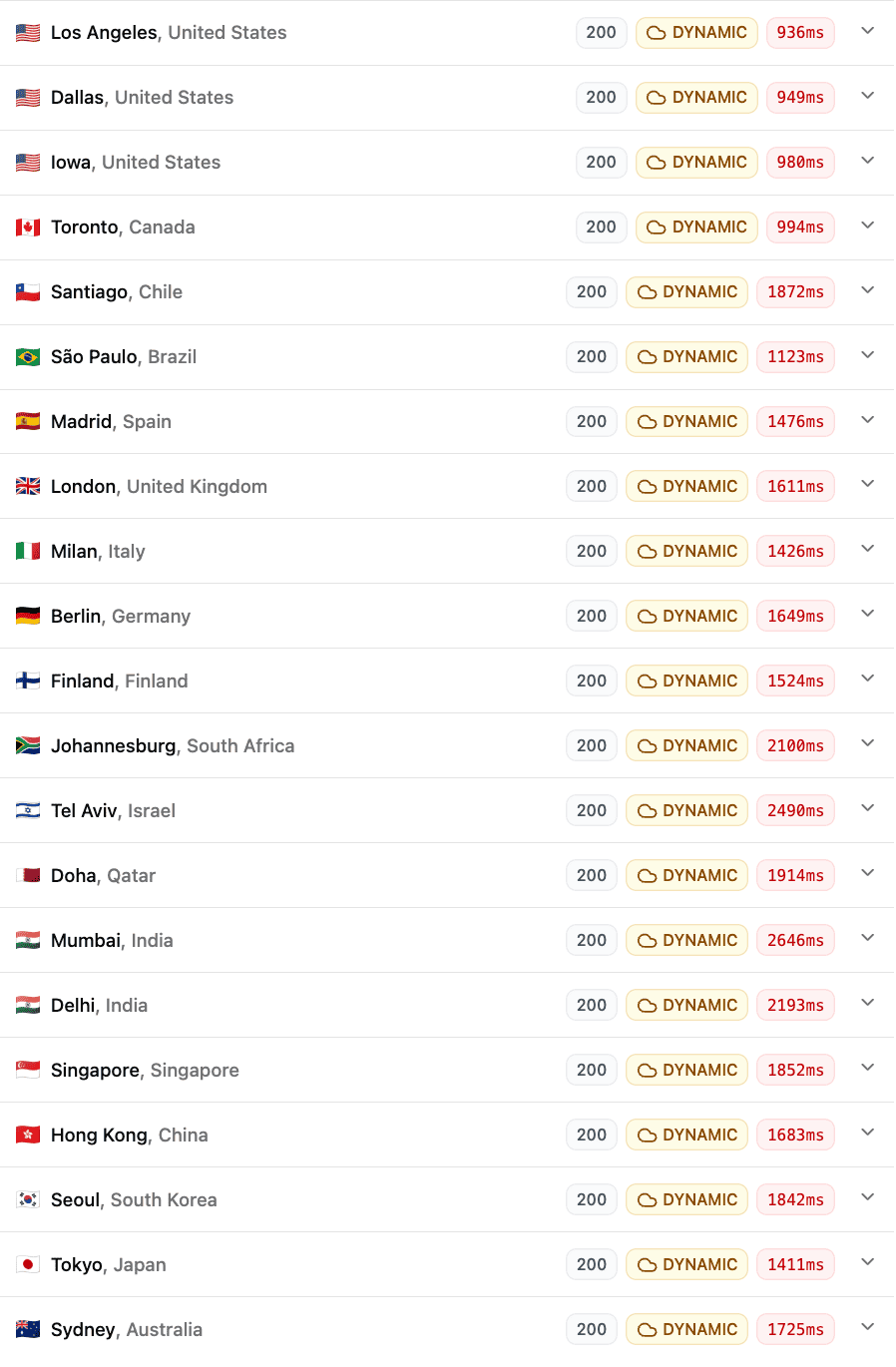
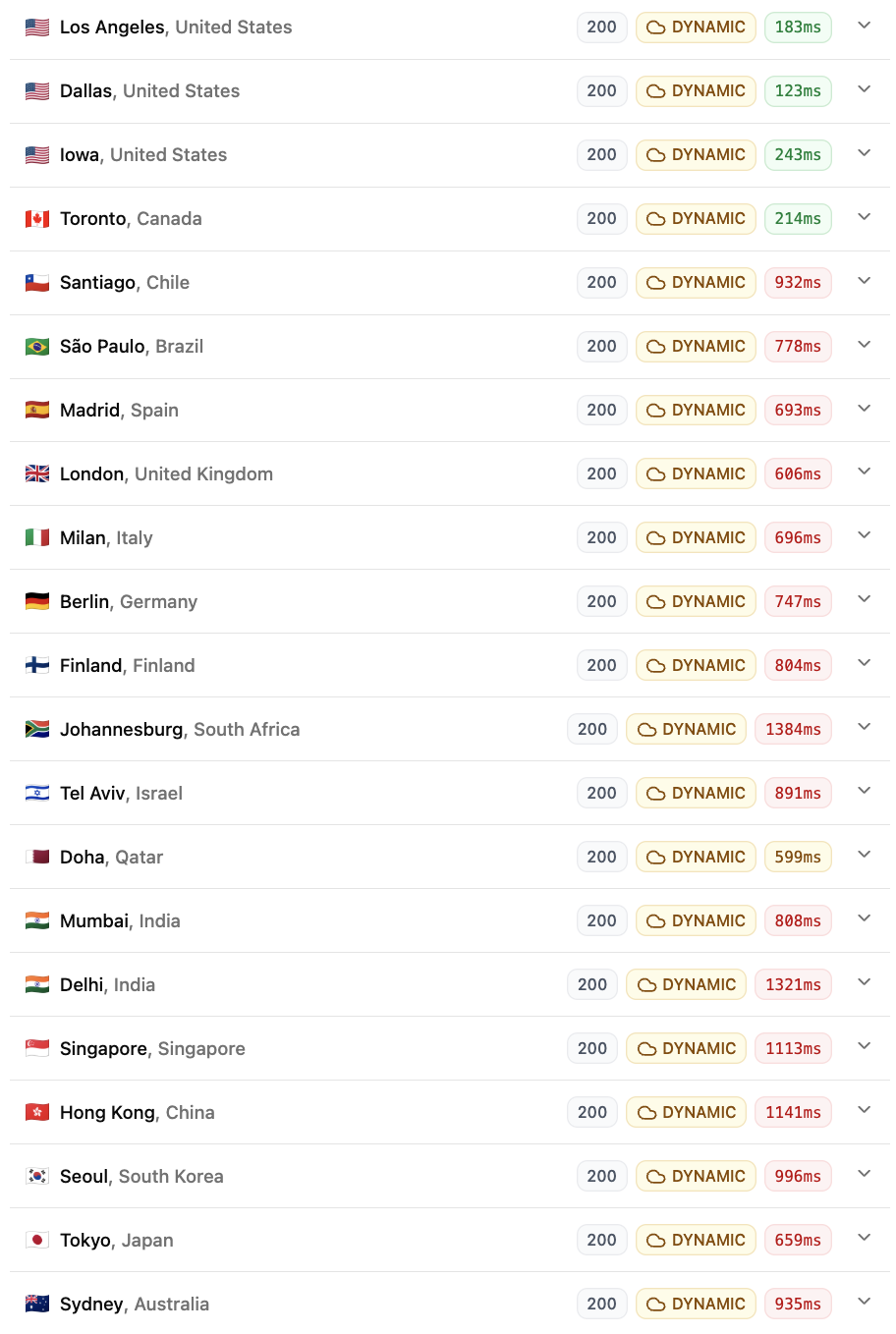
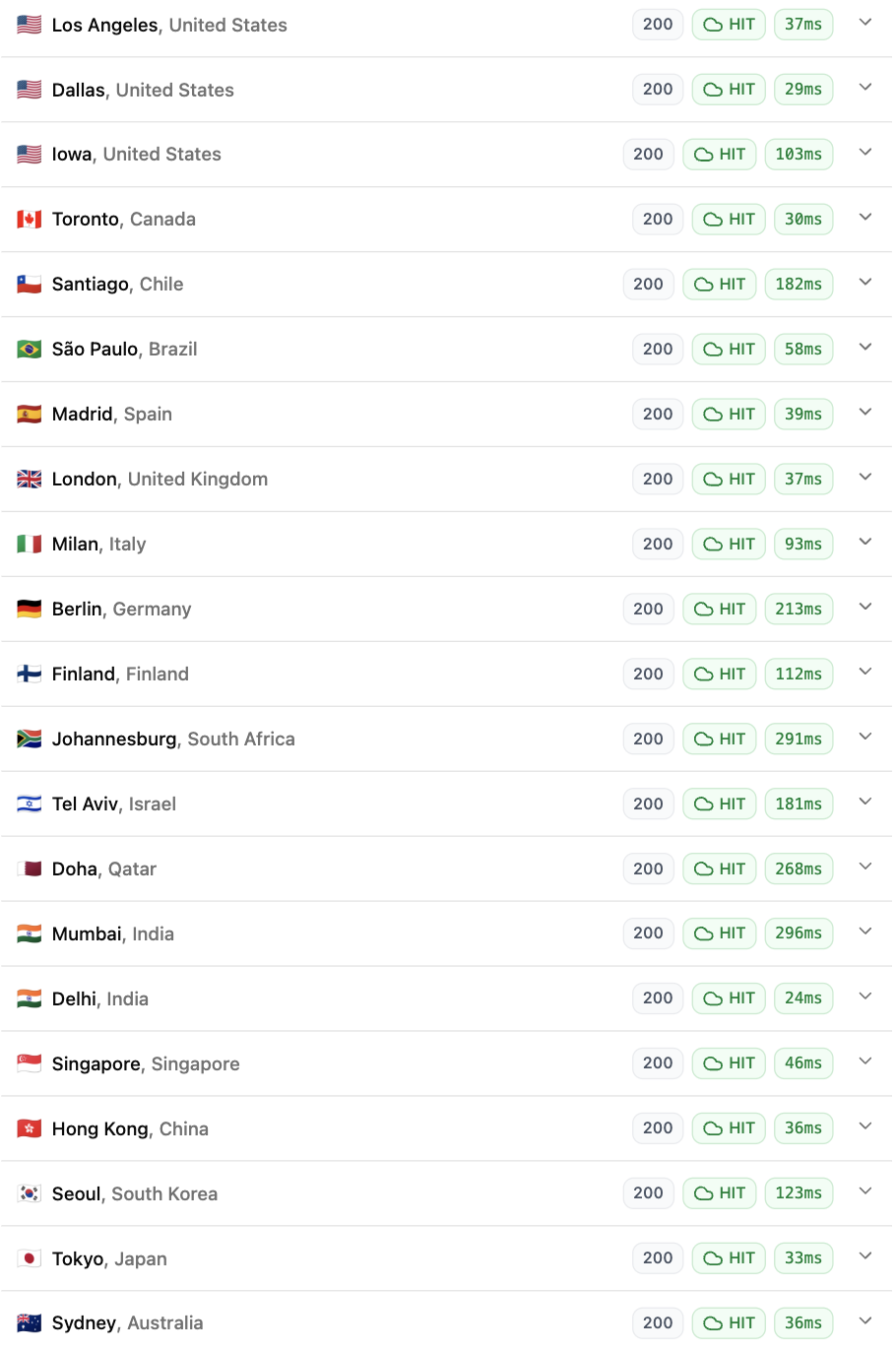
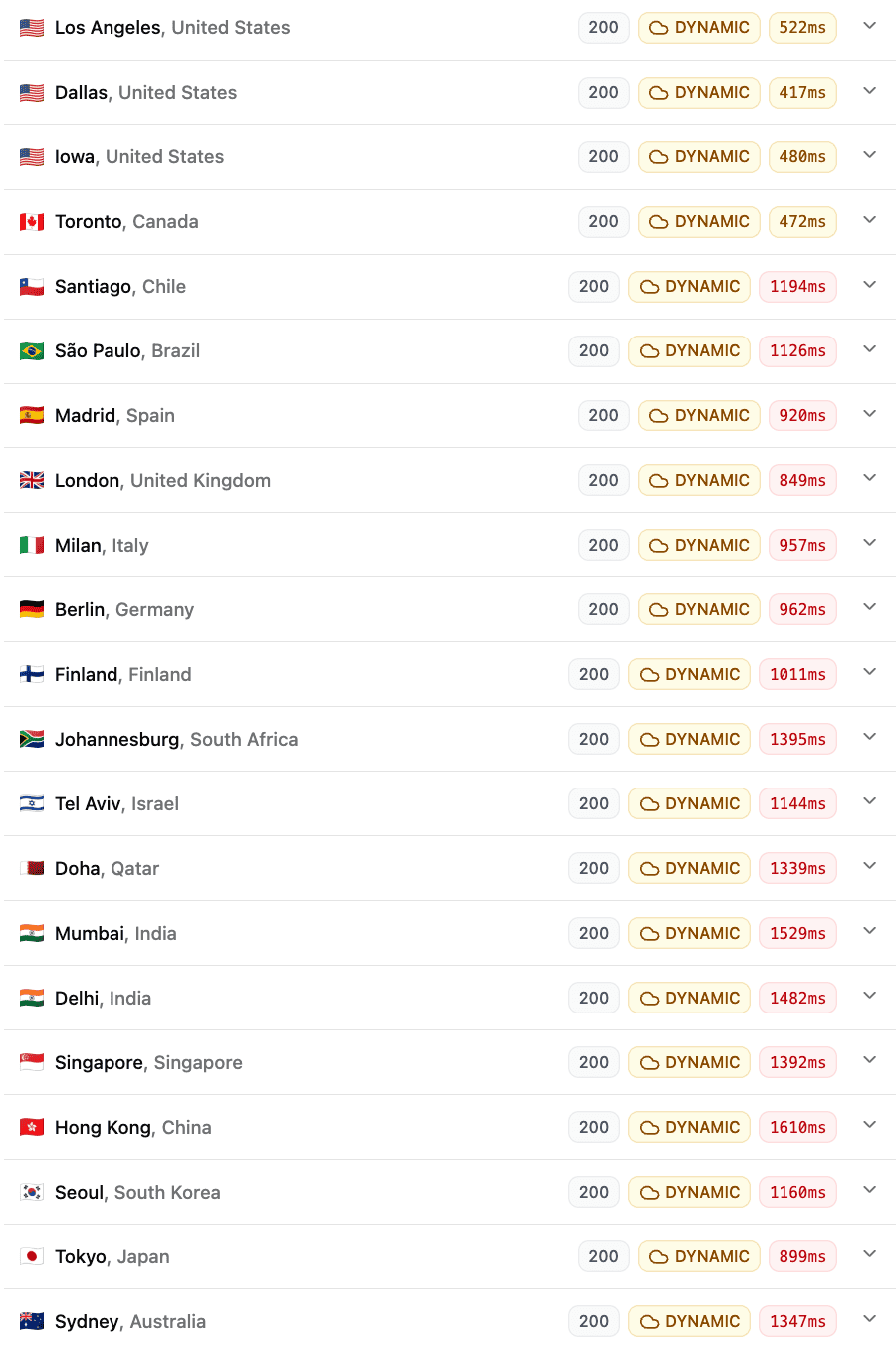
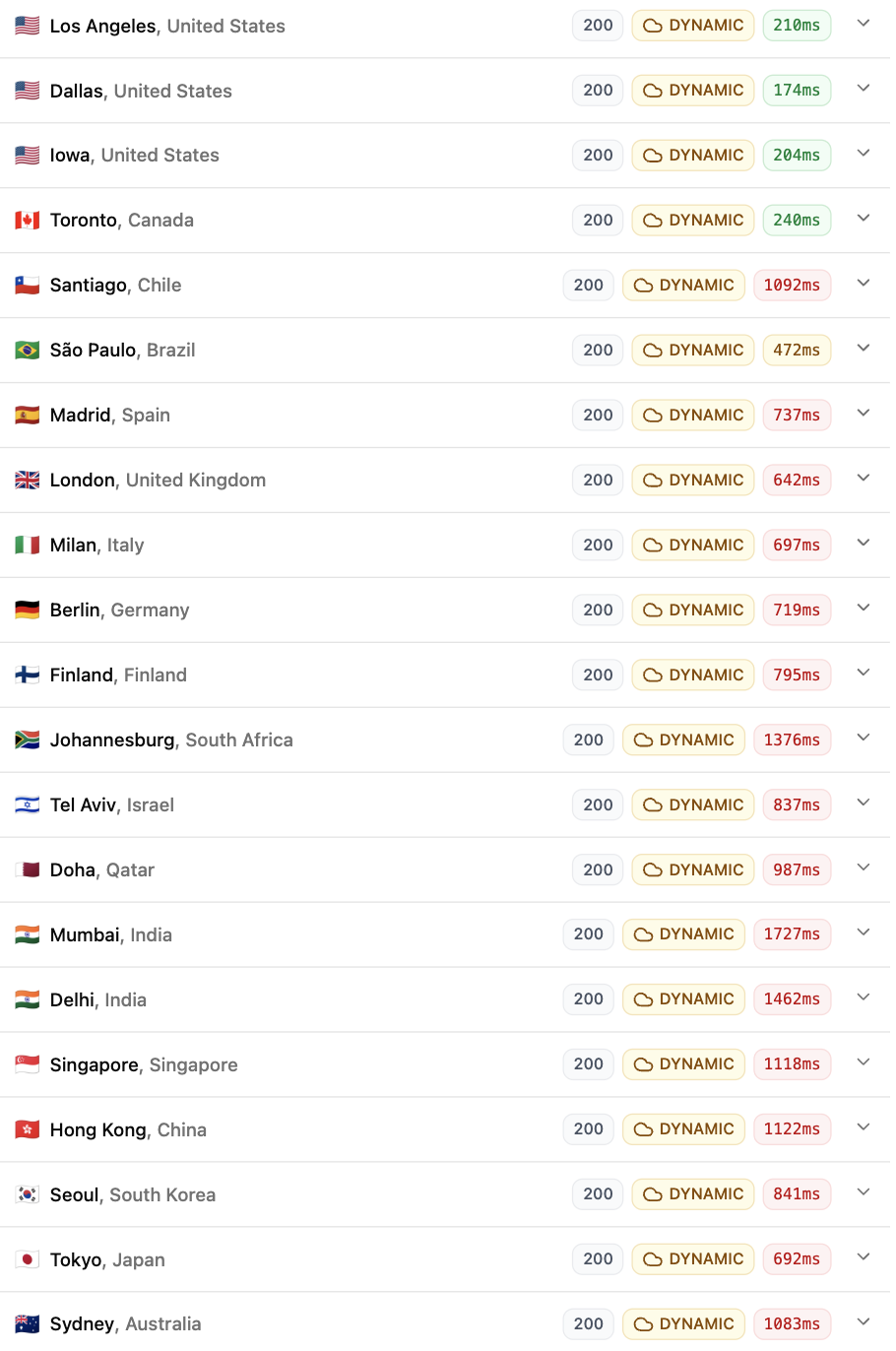
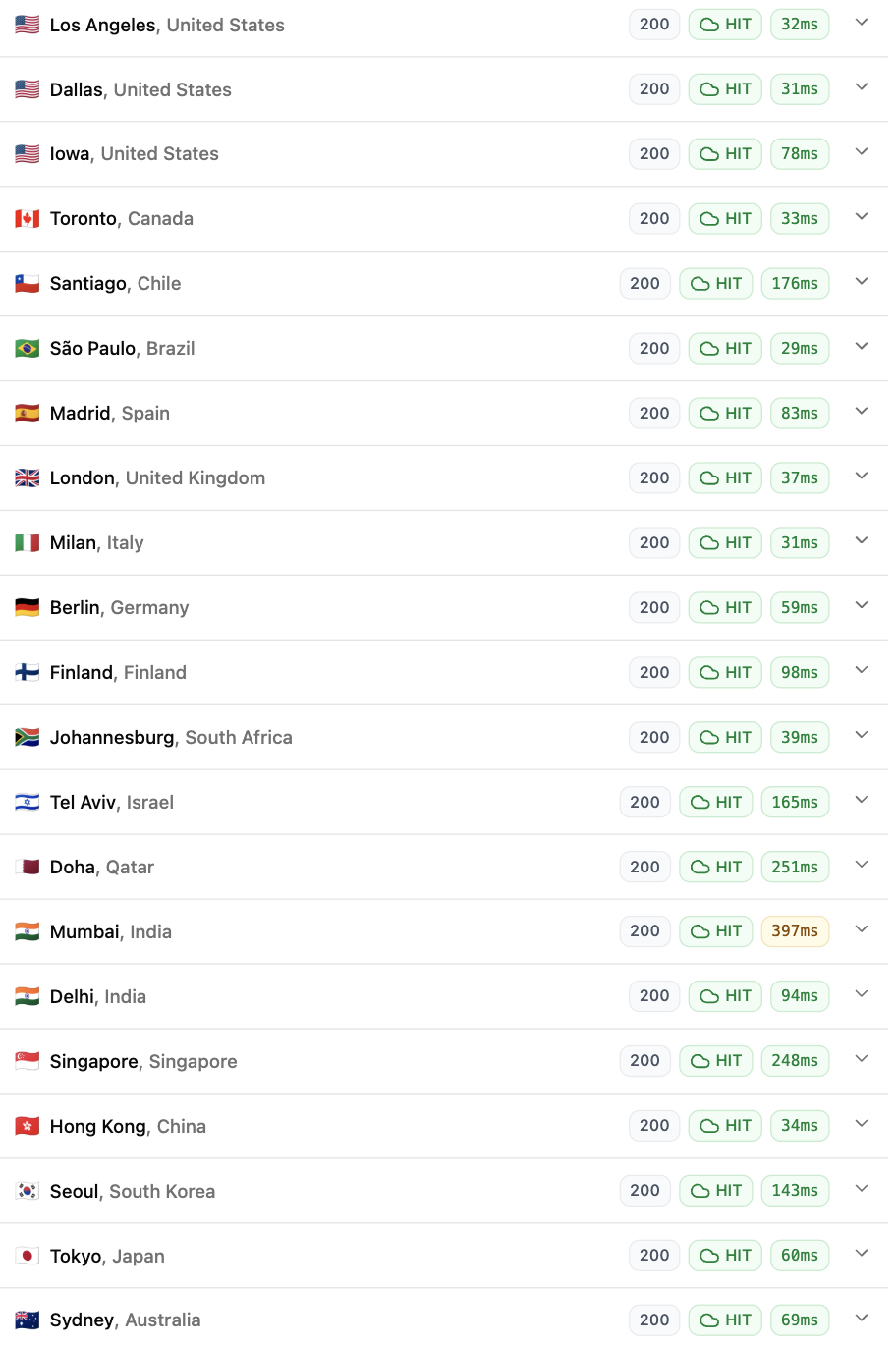
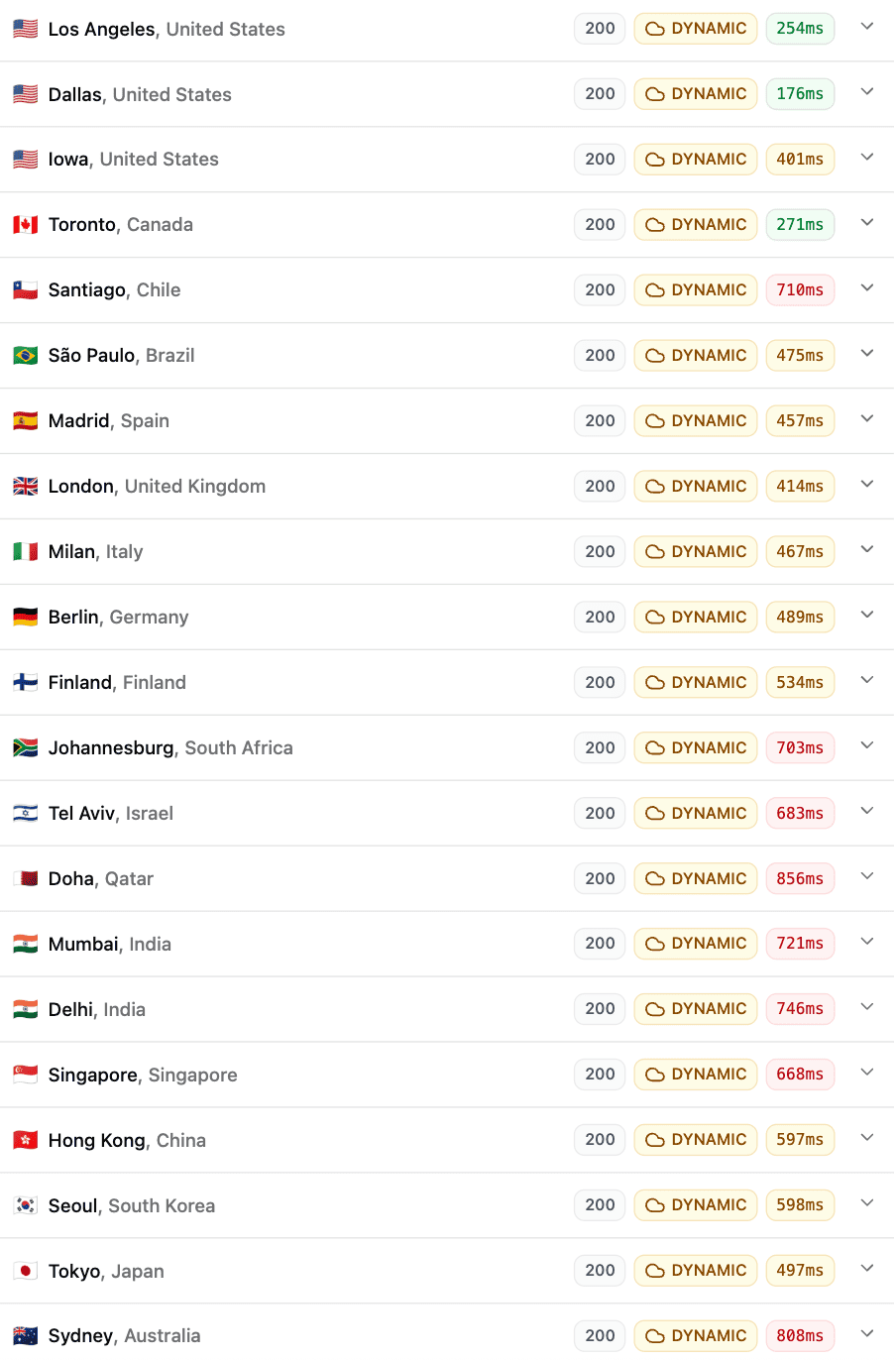
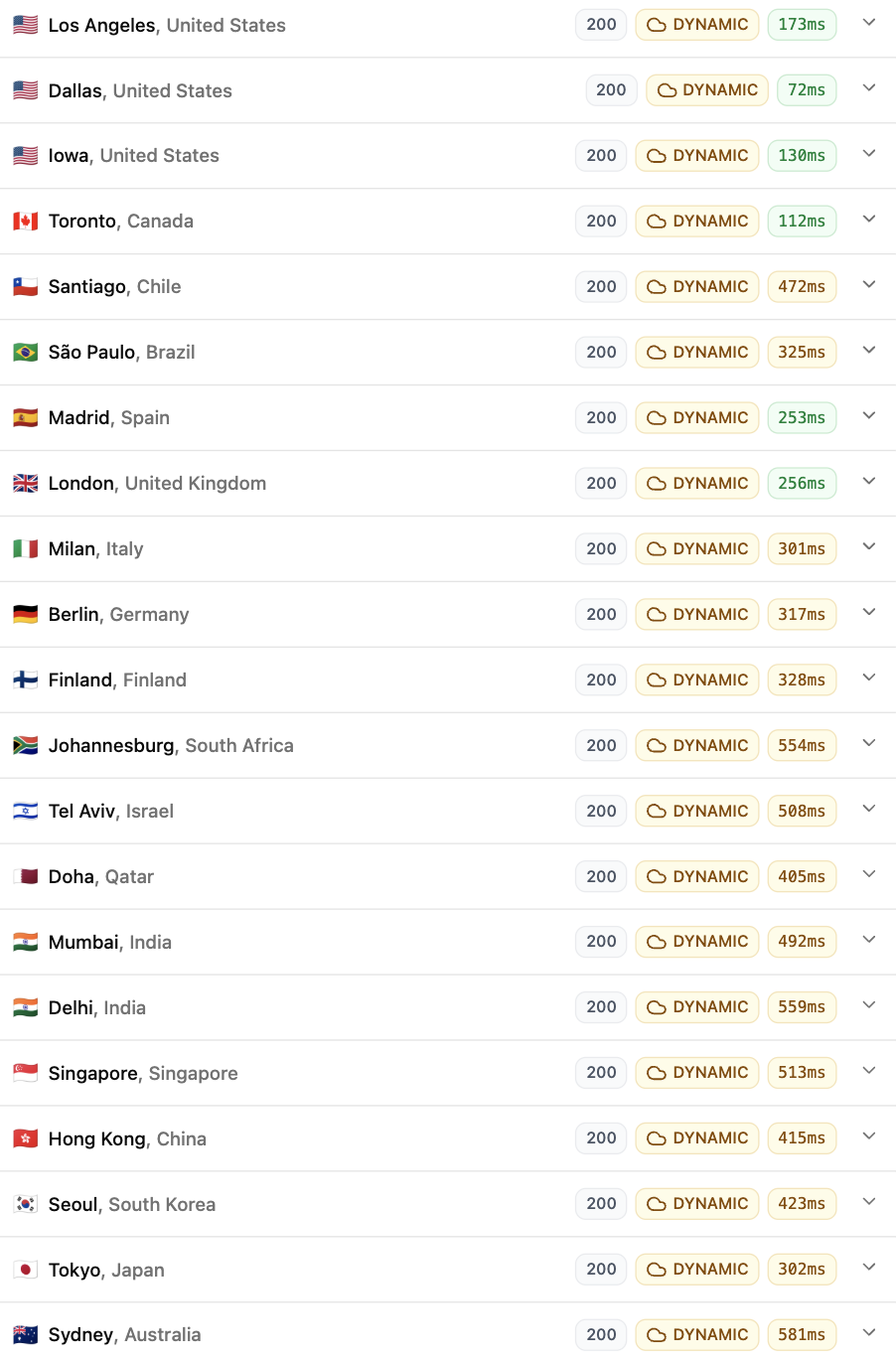
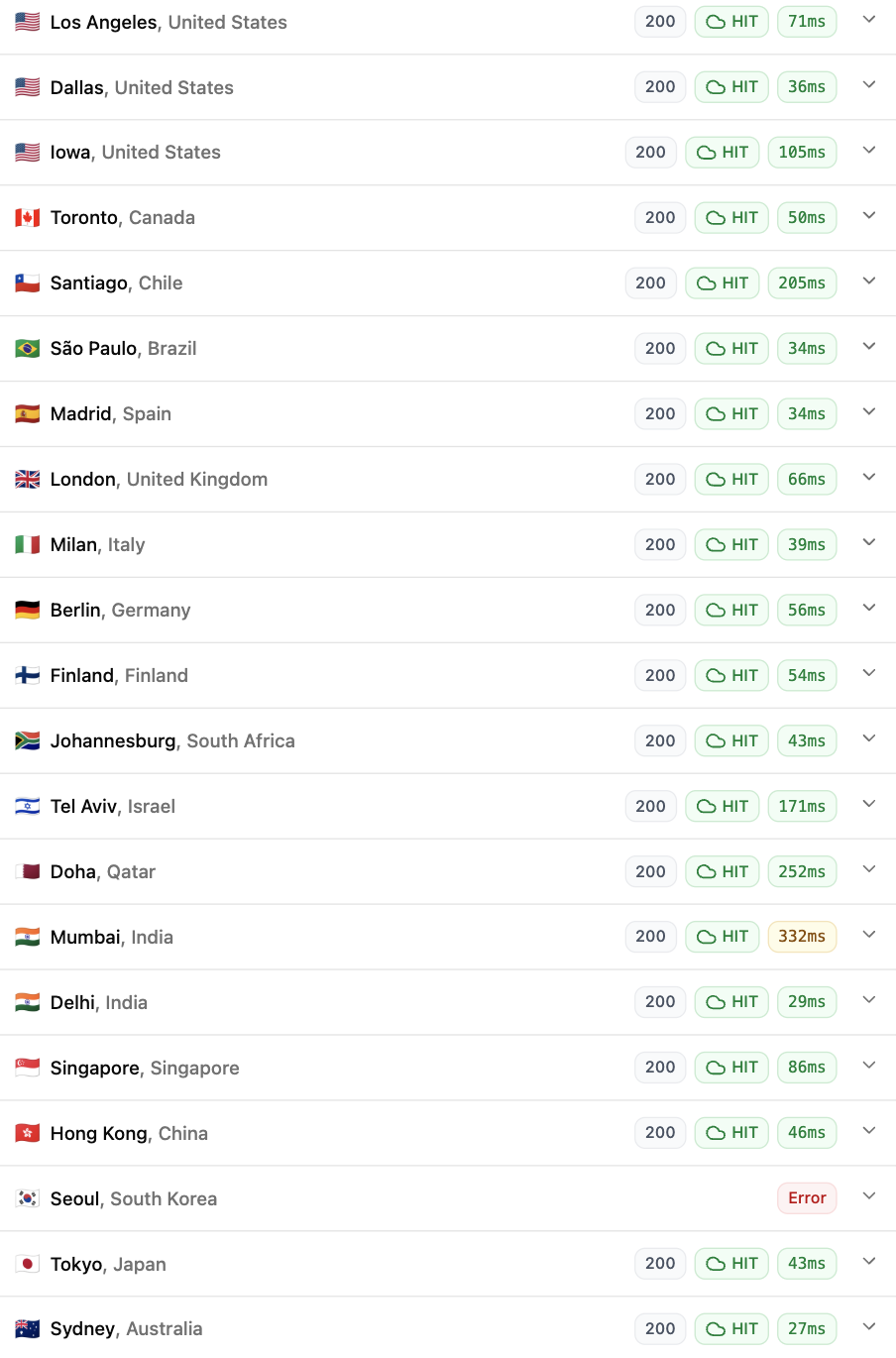
For testing real-world website performance, my preferred test is the global TTFB test using FlyingTTFB. This measures the initial server response time from many different locations across the globe (especially useful if you get visitors from more than one particular region).
I’ve used a WordPress site for this test, loading a simple blog post (doesn’t use any page builder).
I’ve done this test for both their Plaid and Turbo platforms under 3 different conditions:
- Uncached + Cloudflare CDN (for static resources only)
- Cached (LiteSpeed Cache) + Cloudflare CDN (for static resources only)
- Cached (LiteSpeed Cache) + Dynamic (Full-page) Caching enabled (Cloudflare) using the App for CF plugin, where the entire page is served directly from Cloudflare’s global PoPs (bypassing the origin, i.e. MDD entirely)
This is what each test means:
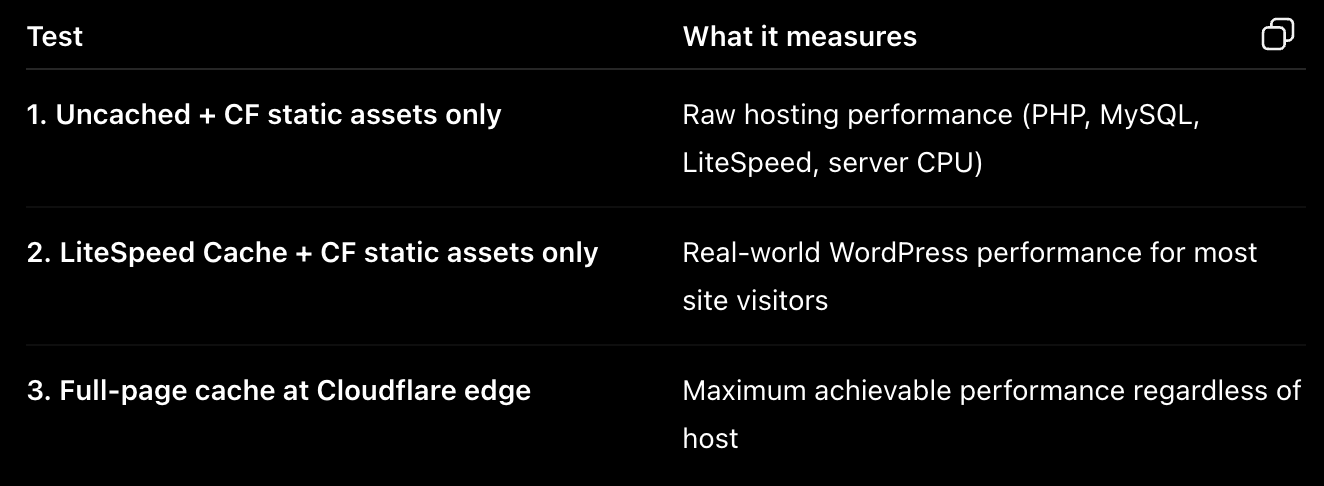
TTFB = ‘Time to First Byte’ Response Time in miliseconds (lower is better)
For dynamic sites (WooCommerce, forums etc.), take into account the ‘uncached’ TTFB values. Similarly, for mostly static sites (blogs and other article-based sites), consider the cached (using LiteSpeed page caching) numbers.
Lastly, for static sites, the Cloudflare full-page caching mechanism shows you what’s possible if a static version of your webpages are served from a CF PoP (node) that’s closest to your visitor. I wouldn’t give this too much importance since it bypasses the origin (in this case, your web host) almost entirely.
These are the results (please interpret based on the hints above)…
Global TTFB – MDD’s ‘Plaid’ platform:
Global TTFB – MDD’s ‘Turbo’ platform:
Global TTFB – ExonHost’s ‘Turbo Plus‘ plan:
I ran each test multiple times, but the results were more or less what you saw above.
The most surprising thing for me was MDD’s own (cheaper) Turbo server performing better in uncached page serving than their flagship Plaid server. Adding a layer of caching on top makes the gap negligible between them, while Exon still comes out ahead of both of the MDD platforms.
7. Plans, pricing & comparison with other hosts
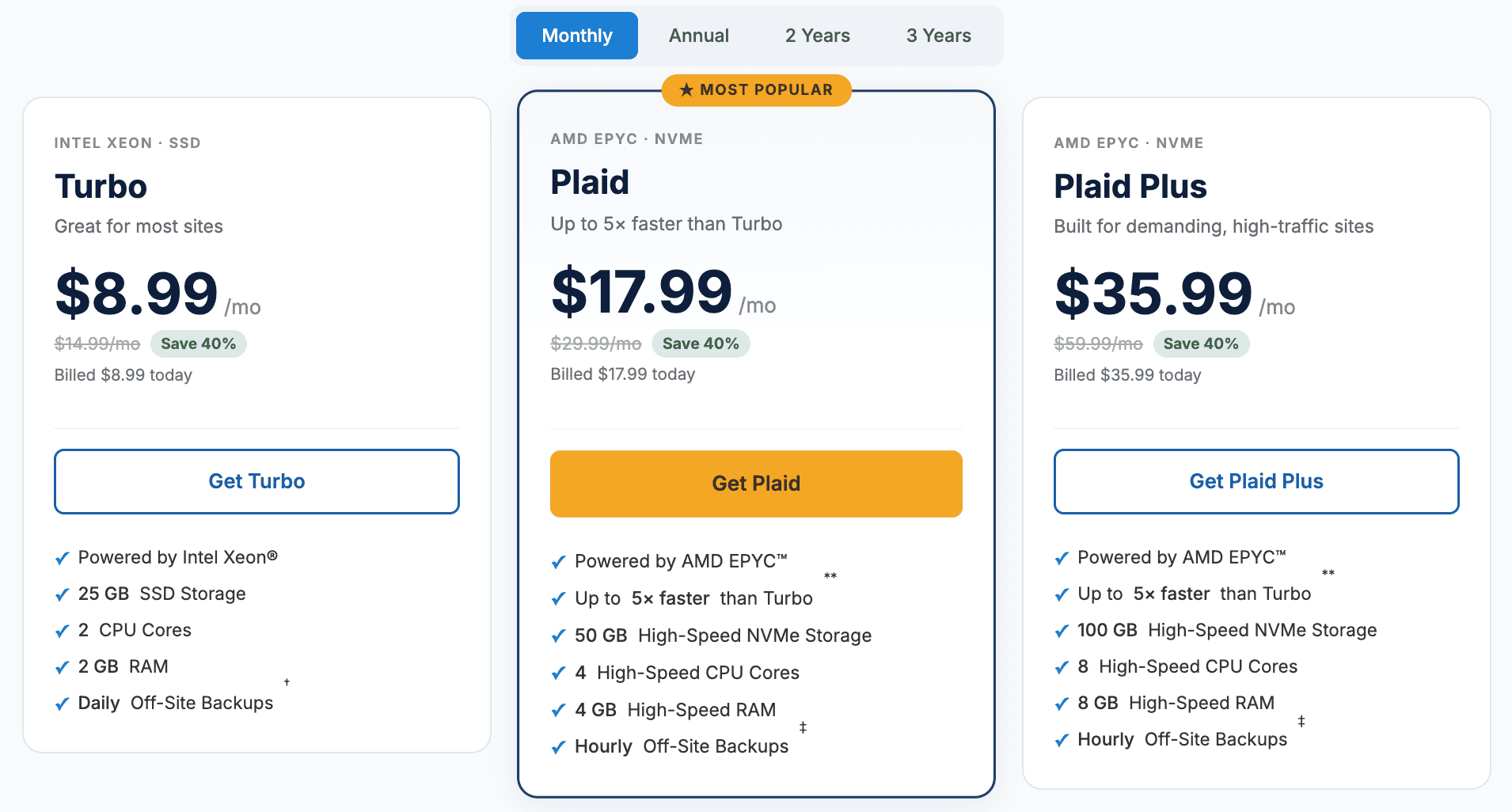
‘Turbo’ will get your sites hosted on their legacy servers with older Intel Xeon processors. ‘Plaid’ and ‘Plaid Plus’ accounts get placed on their newer servers that utilize faster AMD EPYC processors (see the tech stack section above for more details).
Both plans use the StorPool distributed storage system (better data security as well as access speeds). The only difference is, ‘Turbo’ uses regular SSDs while the ‘Plaid’ platform uses faster NVMe SSDs.
The price difference is significant across different billing cycles. For example, the renewal rate for the Plaid plan is $29.99/mo on a monthly billing cycle and only $19.99/mo on a triennial cycle.
‘Turbo’, despite being their entry-level plan, isn’t that cheap at $14.99/month (regular pricing) in absolute terms. But, it’s similarly priced relative to plans from other hosts offering similar CPU, RAM and storage limits.
For low-traffic sites (such as personal blogs, local business and portfolio sites etc.) 1 core and 1GB RAM tend to do the job just fine, but you don’t get such a (cheaper) plan on MDDHosting.
Resource wise, 2 cores & 2GB RAM will be sufficient for most medium-traffic websites provided they’re well optimized and cached. But again, these cores and memory are of a relatively slower kind.
You’re more likely to hit resource limits from bot attacks than a high number of actual visitors. Instead of relying on my web host or WordPress security plugins, I prefer blocking such malicious bots on a layer above, like Cloudflare. Then it never hits the origin, and thereby doesn’t consume any server resource.
In comparison with the Turbo plan, MechanicWeb’s ‘Value’ plan comes at just $9.95/mo and has similar limits (2 cores, 2GB RAM, 20GB faster NVMe storage). They use the fastest Ryzen 9950X (single-thread rating of over 4700) processors for even their budget shared hosting plans.
ExonHost’s ‘Advanced’ plan will give you similar resources (2 cores, 2GB RAM and 10GB storage of the faster NVMe kind) at a regular price of $12.25/mo. But they utilize Ryzen 5950X (single-thread rating of close to 3500). It’s still a much faster CPU than MDD’s older Xeon processors.
The Plaid Plus plan is exactly twice as expensive as the Plaid plan and offers exactly double the resources (storage, CPU cores and memory). As far as I could understand, there is no other difference between them. Both host your sites on the same Plaid platform.
For mostly static / properly-cached sites, the difference in front-end speed won’t be as pronounced between Turbo and Plaid, but for dynamic sites like forums and WooCommerce sites, you’re more likely to notice the difference.
8. Benefits of CloudLinux, CageFS & Imunify360
The advent of CloudLinux has made the differentiation between shared and semi-dedicated hosting unnecessary. This is due to its modern account-isolation technologies (like CageFS).
This also allows hosts to limit server resources (like CPU, RAM etc.) on a per-account level, thereby preventing any single demanding/rogue account from suddenly using up all of the available resources and affecting performance for other users.
This also made the ‘number of accounts hosted on a single server’ metric irrelevant, because now it mainly depends on how much processing power and system memory you’re equipping that server with.
This means hosts like MDD can offer scalability within a ‘traditional shared hosting’ environment by offering different plans with different amounts of server resources, making an additional ‘semi-dedicated’ tier redundant.
MDD goes beyond this by using virtualization (they can add more CPU, memory, storage to an already-running server as and when needed without much complications or downtime).
Account isolation is also beneficial in terms of security, where a single compromised account (hosting malicious files) can’t affect any other account hosted on the same server.
In the pre-CloudLinux era, traditional shared hosting setups ran on standard Linux distributions (like CentOS or Debian) using Apache and cPanel. The problem was, standard Linux security was built for multi-user servers where users trusted each other (like a university lab), not for a web host putting hundreds of strangers on one machine. Cross-account contamination was very much a real thing.
Now, if you’re hosting multiple sites under the same account, CageFS won’t be of any use if one of them is compromised (since they’re all under the same cPanel account). This is why a capable security suite like Imunify360 comes to the rescue.
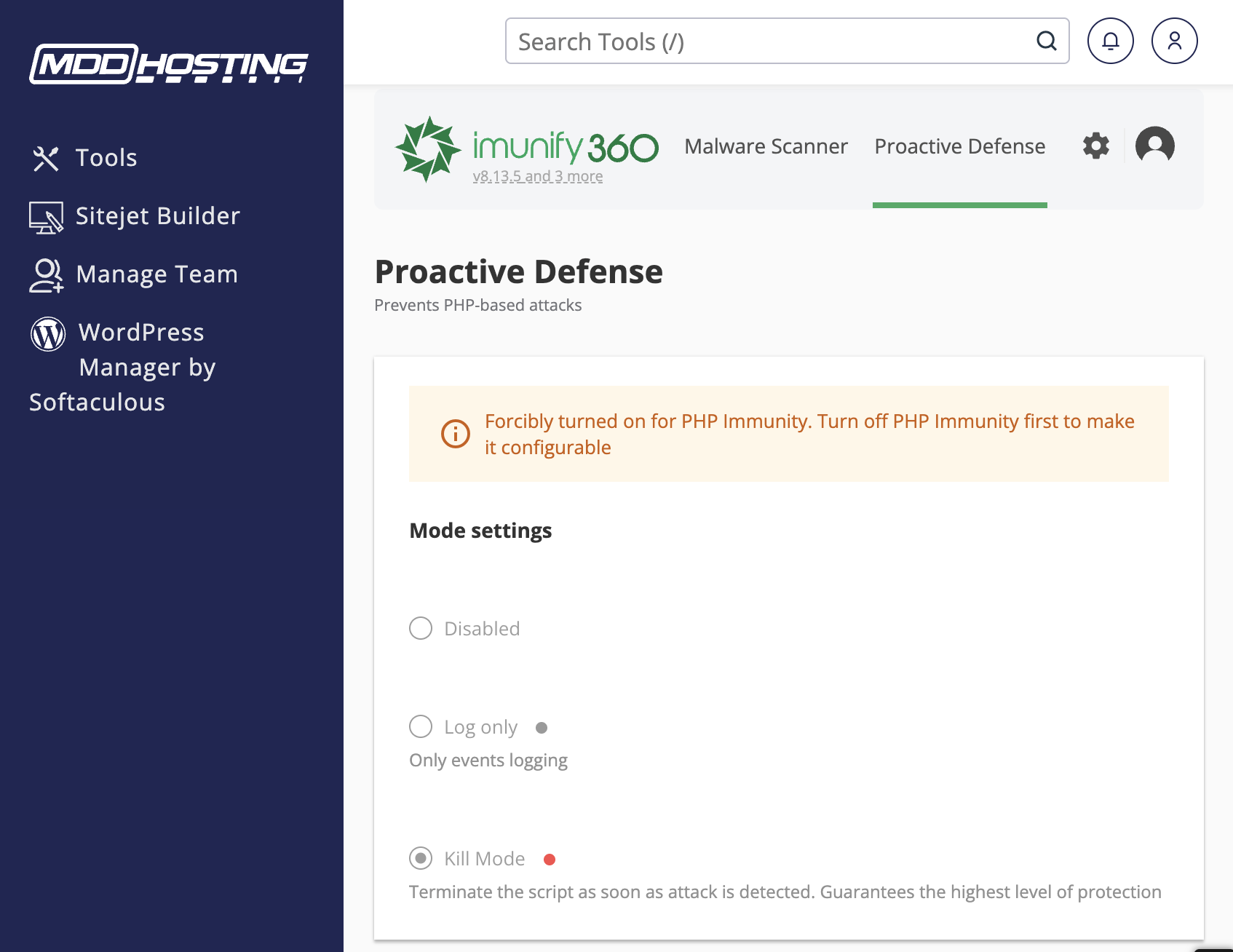
This is a premium security solution that not all shared hosts offer (the license isn’t cheap). In my experience, it’s pretty effective at scanning and quarantining potentially compromised files.
Still, if you’re paranoid about one compromised site of yours making others infected, you can always sign-up for MDD’s reseller plans (host each website under their own cPanel account, thereby benefiting from CageFS account isolation).
9. Uptime and overall reliability
Several of my sites were hosted on MDDHosting servers for years prior to their infamous several-days-long outage in 2018.
TLDR: It was a human error that led to such a big mess, lasting anywhere from 1 to 4 days for users relying solely on MDDHosting’s off-site backups, to finally get restored. Users who had kept their own backups got back online within as early as an hour.
Since then, there hasn’t been a single instance of prolonged downtime across any of their servers, in more than 8 years. After learning their lesson the hard way, they have implemented multiple precautionary measures safeguarding the integrity of their data (from human or any other error) and its swift restoration (if needed). Such as:
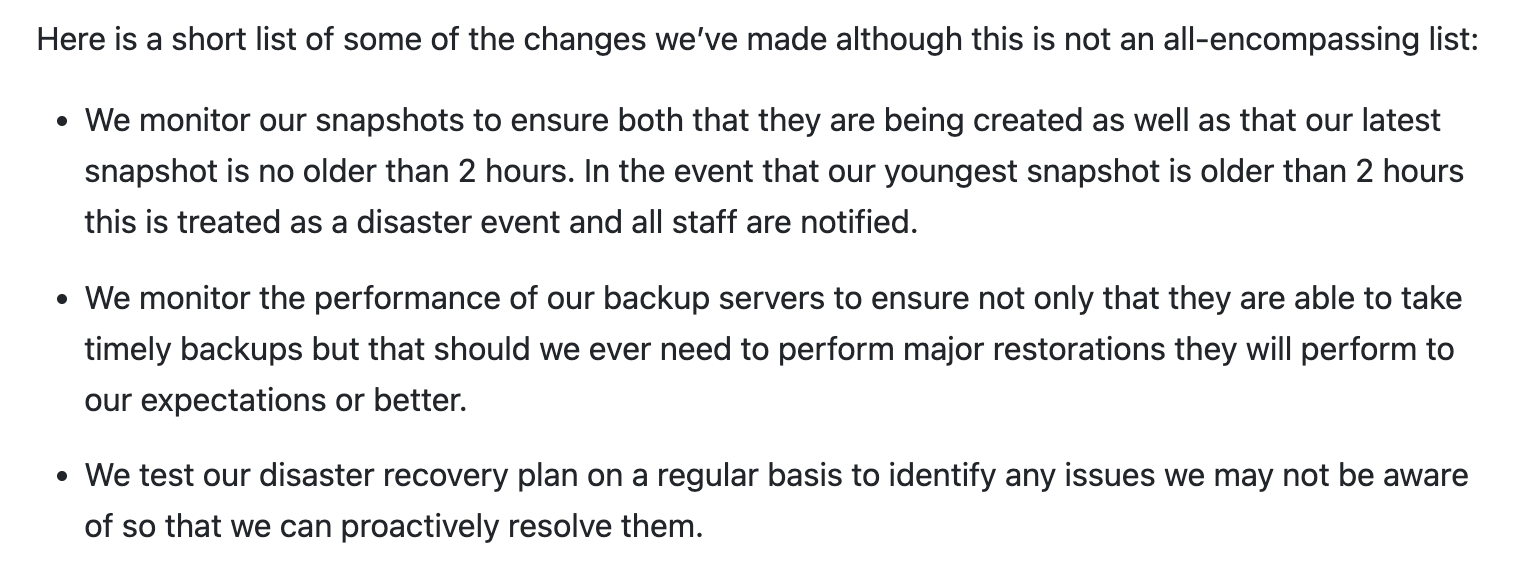
Despite all of these, Mike from MDD has been telling people to take their own backups from as long ago as I can remember (I saw many of his comments even back in 2011 on the WebHostingTalk forums advocating the same).
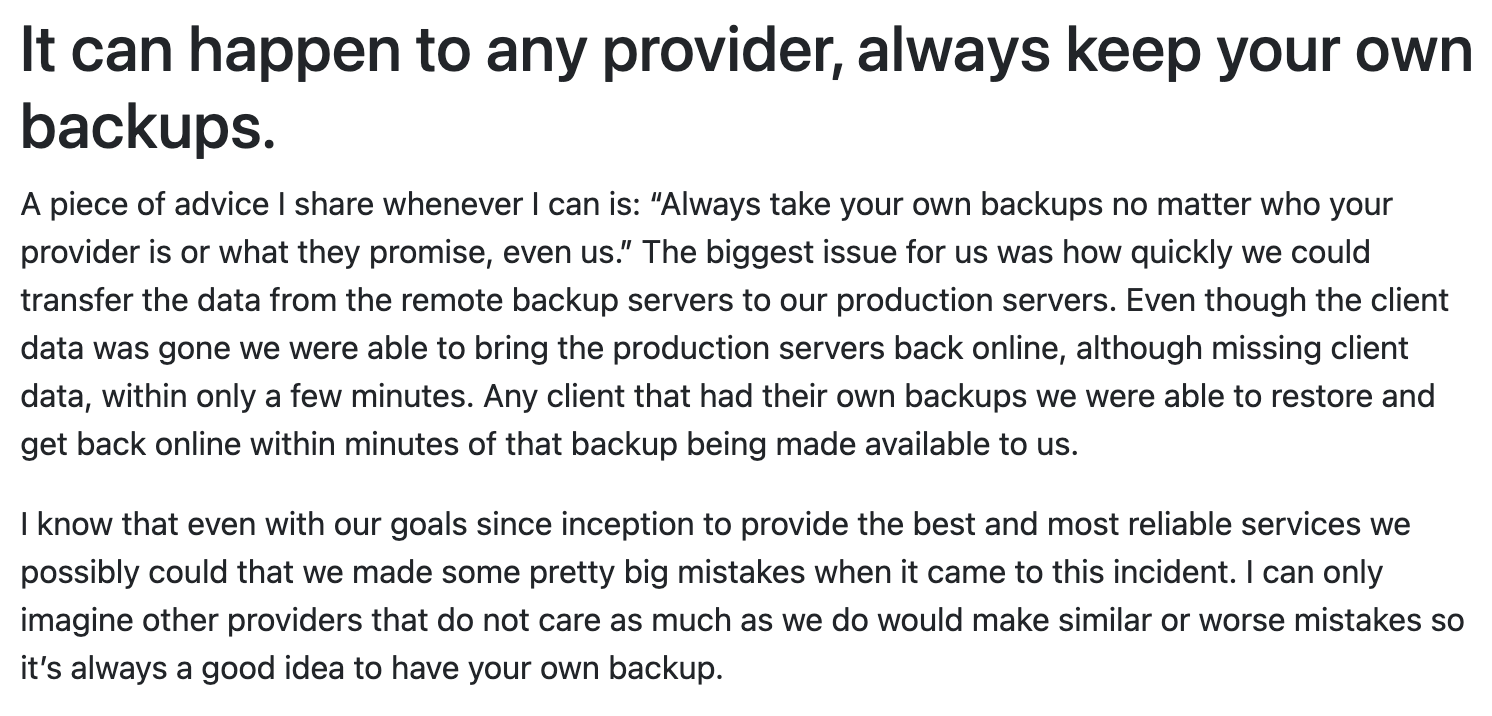
Such outages aren’t entirely uncommon, though. In fact, I remember far worse. For example, A2Hosting’s fleet of shared hosting accounts were affected by ransomware in May 2019, which ultimately led to permanent data loss for many customers, along with prolonged downtime spanning over a month.
Unlike MDD who maintained top-notch communication throughout the outage until it got fully resolved, things weren’t as good for multiple EIG brand customers during new year 2014. Several HostGator, BlueHost etc. customers faced downtime spanning several days during that period. To make matters worse, the entire datacenter was down, including the customer support back-end!
I recently asked them directly about what kind of measures they’ve taken up to prevent downtimes arising out of single-points of failure like networking issues (switch failure would be the #1 thing which has plagued me the most in the past two decades) that tend to be common across providers. This was their response:
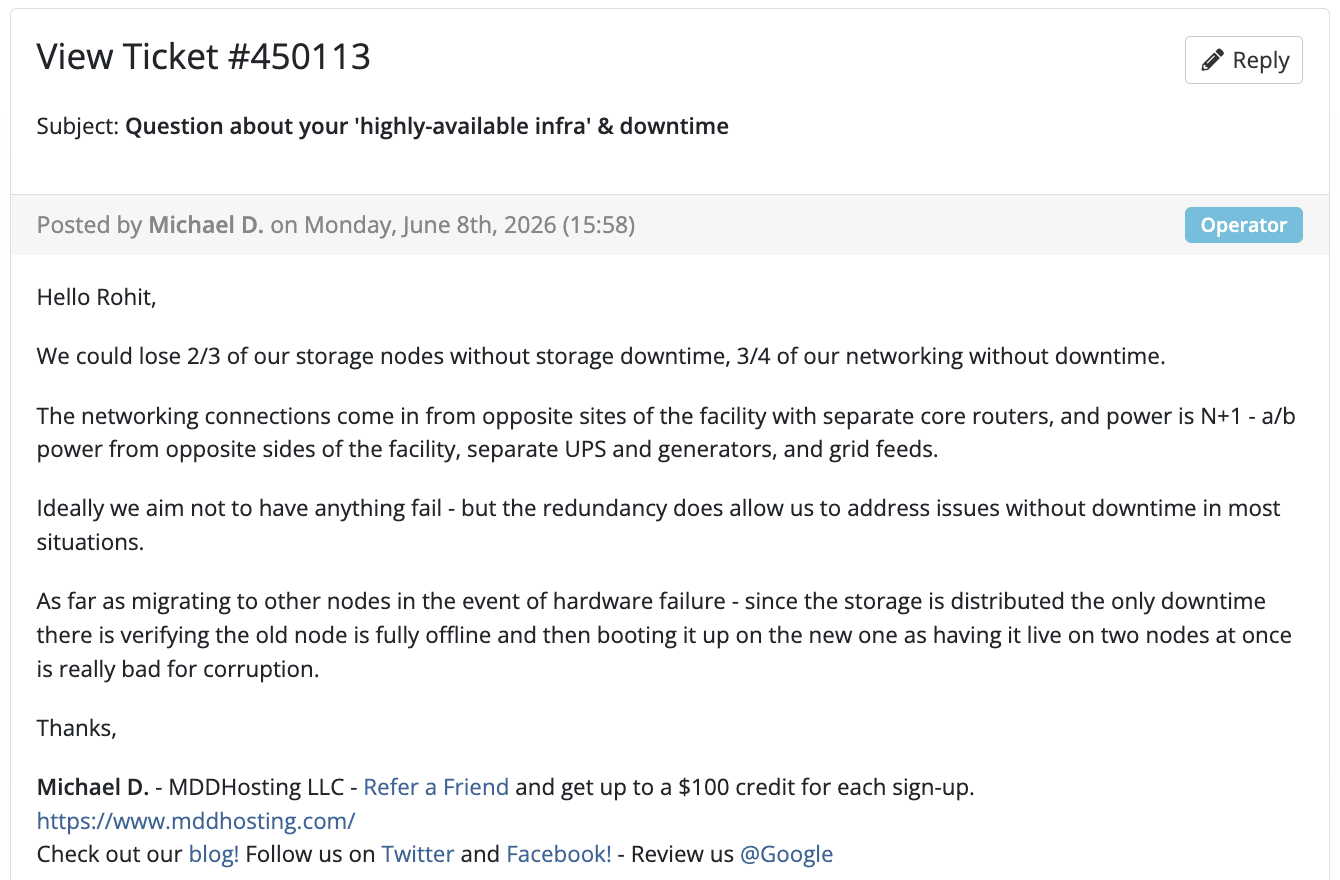
In my personal experience, apart from that single 2018 incident which was definitely an outlier, over the years my sites were never down for more than a few hours at worst. These days, that number is more like a few minutes at a time, as you can verify from their publicly-available server status page:
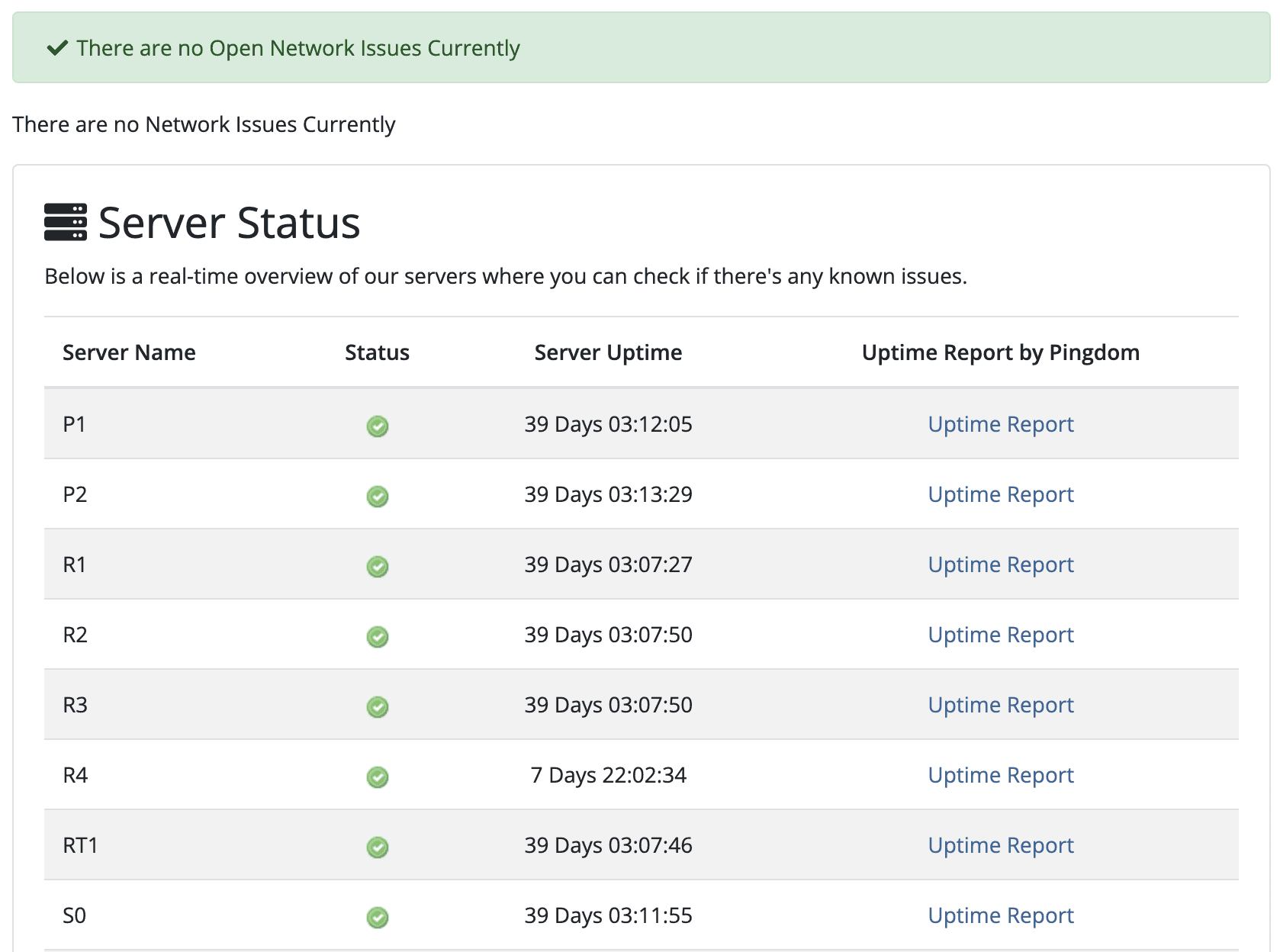
The ’39 days’ uptime figure across many of their servers might just be due to the fact that they had to reboot all of them at once during routine maintenance. I’m not 100% sure, just a strong guess.
Based on how transparent they are (never try to hide/dismiss downtime), usually super fast support response times and overall uptime track record since the 2018 incident, I’d surely place them in the top 5% in terms of reliability within the shared hosting space.
For mission-critical websites where even an hour’s downtime can potentially cause more financial loss than what making your site 30% faster would recoup in a month, I’d still prefer MDDHosting over other providers offering better hardware that are still prone to (many) individual points of failure.
10. Backups & migrations
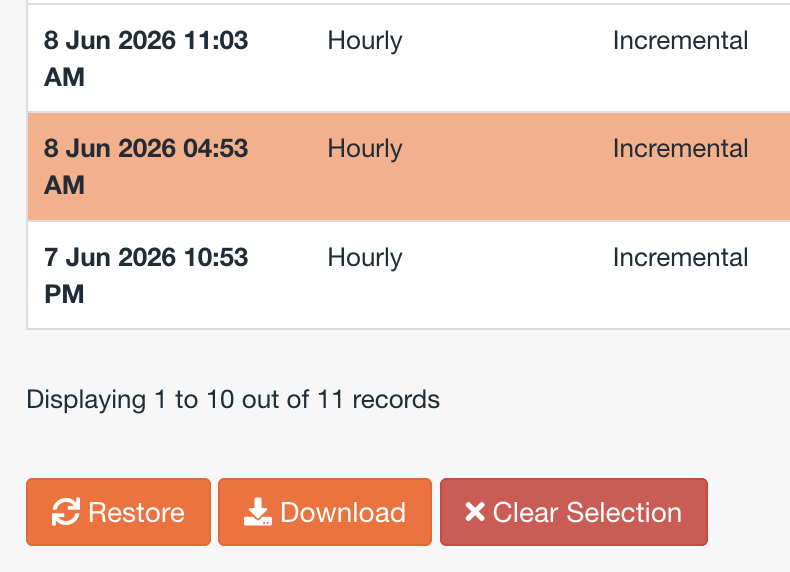
They provide off-site backups via JetBackup, which you can access (to download or restore something yourself) directly from cPanel.
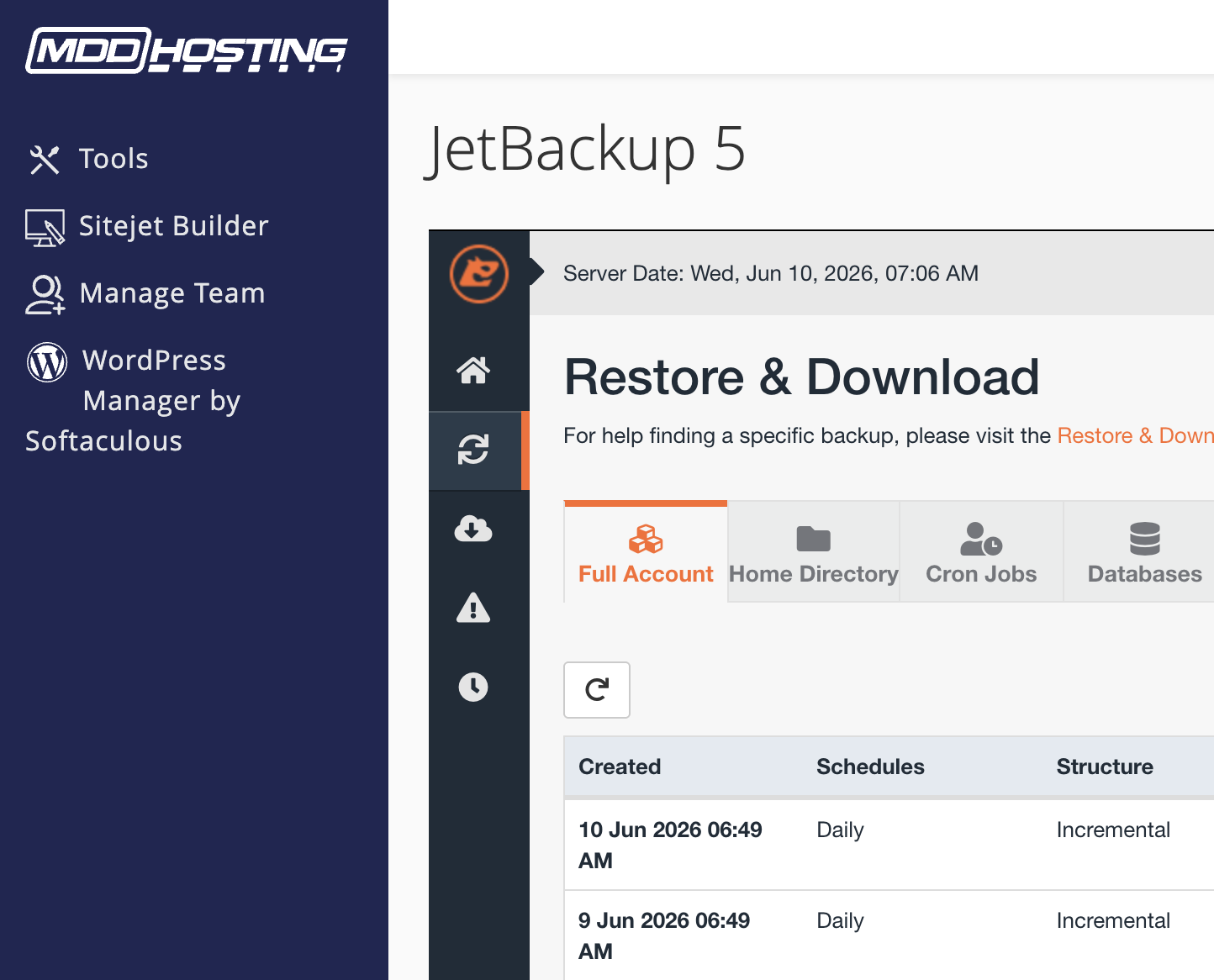
‘Turbo’ gets you daily backups (taken once a day), while ‘Plaid’ gets you 4 backups per day in 6 hour intervals.
When it comes to transferring your sites from your old host, MDD offers both full cPanel migrations (faster and easier to perform if your old host also used cPanel) as well as manual website transfers (slower, but they promise to get it done within 24 to 48 hours).
In my experience, with sites ranging from a few hundred MBs up to 5-6 GBs (including files and databases), they always managed to get them transferred in as low as 15 minutes up to 2 hours, max.
I also couldn’t find any point in their ToS that states they’ll only handle transfers for free within the first 1-2 months of your hosting purchase (this is not uncommon among shared hosting providers).
11. Scalability is there
With MDDHosting, you can upgrade or downgrade instantly through their backend without any downtime. The plans differ mainly in storage and other allocated resources (CPU & memory).
Need double the resources? Pay double. It’s that simple (some people might miss more granular customization options).
One thing you can customize is storage. Each 10GB of additional storage costs an extra $3/mo.
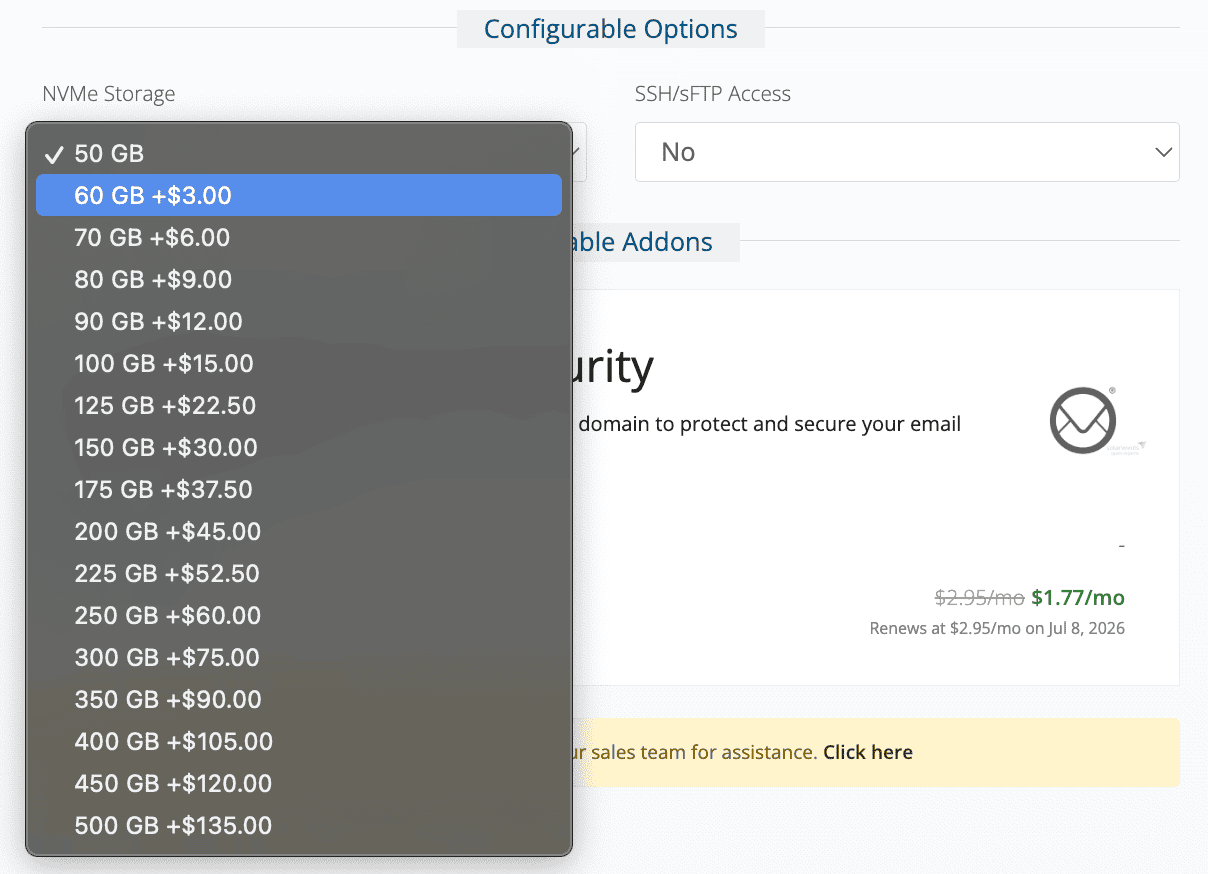
When it comes to switching between their plans, some real-world use cases could be:
- You start with their ‘Turbo’ plan until your site grows to a certain stage.
- If it’s monetized well and if you want more performance (only applicable if it’s not a static site that’s usually mostly served from cache), you can upgrade to Plaid.
- If it becomes a blockbuster hit and starts getting thousands of visitors a day with occasional spikes reaching up to ~50K visits a day (think: Google Discover), you can upgrade to the Plaid Plus plan just to be on the safer side so that you don’t ever hit the 4 core and 4GB RAM limit.
- Although, based on my experience, for mostly static sites, even 100K visits a day shouldn’t be a problem even on the Plaid plan if you or your technical guy really did a good job setting up LiteSpeed cache properly.
Anyway, knowing that there’s an option to upgrade all the way to 8 cores and 8GB RAM (that’s borderline dedicated server territory) should offer plenty of peace of mind and eliminate all potential concerns of having to migrate to another provider if your site “gets too big”.
12. TrustPilot paints the rest of the picture…
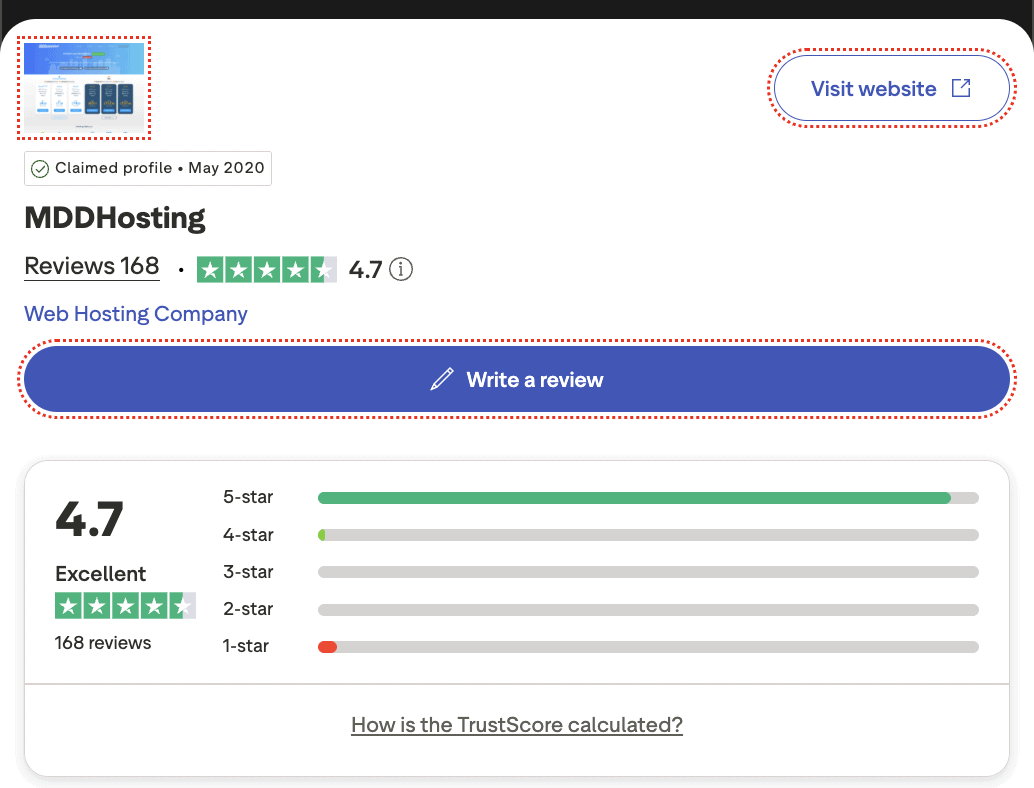
Most of these 1-star reviews are either about their 2018 downtime incident or another common issue that many face to this date: automated billing and account approval.
MDDHosting supposedly uses strong anti-fraud mechanisms, which delay new order approvals for some people. The frustrations of such users are indeed genuine. Still, those 1-star reviews are not a true reflection of MDD’s actual service quality.
Here’s what someone with as long a background in hosting sites as me wrote about them:
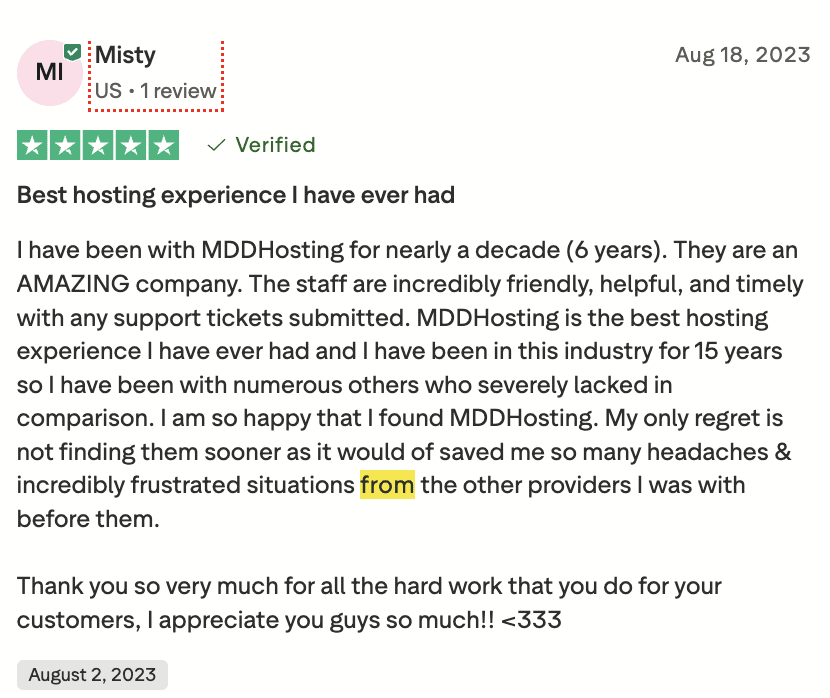
Here’s someone who was super happy after moving from SiteGround (way more popular due to being better-marketed):
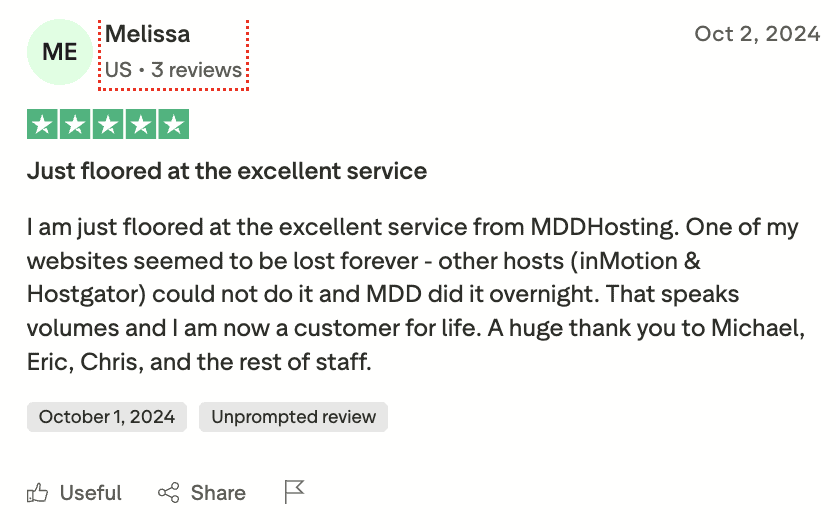
Here’s someone who was previously using InMotion and HostGator (again, much larger mainstream brands):
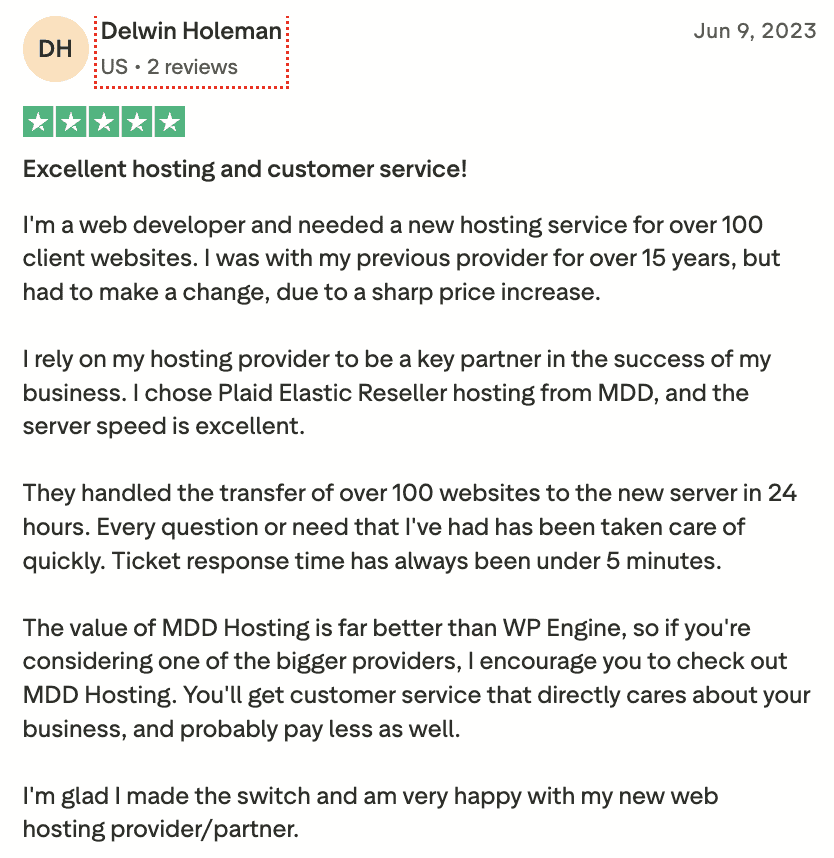
And finally, someone who moved hundreds of sites (likely from WPEngine, one of the bigger names in the so-called managed WordPress hosting space):
My Final Take (TLDR summary)
MDDHosting has evolved to be a mature, independently-owned player in the shared hosting space over the past two decades.
In my opinion, they’re rightfully calling their shared offerings ‘shared cloud hosting‘, thanks to their praiseworthy reliability since the last major outage almost a decade ago, and numerous fail-proofing solutions ensuring a high level of redundancy.
However, there is definitely a lot of room for improvement in the performance department, especially for dynamic sites and uncached environments (such as WordPress backend). This is mostly down to them still using relatively older hardware from 2014 (Turbo) and 2019 (Plaid), which, despite being reliable, can not match the raw computing power of more modern processors and memory.
However, in my tests, the Plaid platform was only marginally faster, nowhere near as ‘up to 5x’ as advertised on their website, thereby not justifying the steep price increase if you don’t need the additional resources (2 extra CPU cores and an extra 2GB RAM).
Support is as good as it gets. No matter which plan you purchase. They always go above and beyond and share as much (or as little) technical information with you as you want (based on your technical understanding level and personal preference).
If you’re chasing top-tier performance irrespective of caching, I would advise you to pick some other provider right now (this can always change in future if MDD upgrades their hardware).
But if you’re mostly after reliability (both in terms of uptime, stability and support quality & responsiveness) with decently fast page loading times, there are few hosts that can match MDDHosting. If your caching implementation is strong, the speed difference gets even less significant.
- Visit: mddhosting.com
- Money-back guarantee: 30 days (no strings attached)
- Promotions & discounts: They offer the highest discount of the year (around 70%, one-time) from Black Friday through Cyber Monday.
Have you used MDDHosting? Share your own experience below!
Hi Rohit,
I purchased MDD shared hosting on your recommendation. Now I see the server response time is about 2 seconds. I had great hope that the server would respond within 200 ms.
Can you please advise where the problem lies.
Thanks,
Subesha
Have you tried contacting their tech support? It could be a site optimization issue or something else.
Hi Rohit,
Thanks for writing. I contacted their tech support. They replied that their server is at 86.9% IDLE CPU and they do not manage customer content.
I’m not a technical person. Can you please suggest the right step. My site is bitofvacation (dot) com
Thanks
I’ve tried buying using the techtage50 coupon but I keep getting “The promotion code you entered has been applied to your cart but no items qualify for the discount yet – please check the promotion terms”. I’ve tried different plans at different lengths and always get this…
It must’ve gotten expired, then. I’ve just reached out to them regarding this. I’ll let you know an update once I hear back from them.
Their response on this is: “The coupon still exists – it just only applies to a monthly order.”
any recommendation for shared hosting if I only want multiple domain emails? I may only have one website (little traffic) but I have multiple domains and multiple emails with those domains.